

The best TikTok video editor depends on how you work. For free mobile editing with no watermark, use Edits by Instagram or Adobe Premiere on mobile. CapCut is still the most feature-rich all-rounder. For desktop production, look at Movavi or Riverside. Below are 14 options, with up-to-date pricing, platforms and the features that matter for short-form video.
Your hook in the first three seconds decides whether people keep watching. The right editor makes it faster to cut tight hooks, add captions and turn out content consistently. The right scheduling tool then gets it published at the right time.
TikTok video editors compared
To make this easier, we’ve split this list into categories based on the following criteria:
- Best free TikTok video editors for beginners
- Best professional desktop editors for scaling video production
- Best AI-powered video editors for quick turnaround
Here’s a quick comparison overview of these 14 TikTok video editors
Based on published feature lists, some features may require paid plans. ⚠️ means it couldn't be confirmed.
| Tool | Best for | Platforms | Free plan | Watermark-free exports on free plan | Paid from |
|---|---|---|---|---|---|
| CapCut | All-round editing with AI | Web, desktop, iOS, Android | Yes | Partly: Pro templates/effects add a watermark | $9.99/mo |
| Edits | Free CapCut alternative | iOS, Android | Yes (fully free) | Yes | Free |
| InShot | Quick mobile edits | iOS, Android | Yes | No | $4.99/mo |
| Canva | Template-led, on-brand videos | Web, desktop, iOS, Android | Yes | Pro elements only ⚠️ | $144/yr ⚠️ |
| Adobe Premiere (mobile) | Free pro-grade mobile editing | iOS, Android | Yes (all editing tools) | Yes | $7.99/mo (AI credits) |
| Riverside | Repurposing podcasts and long-form video | Web, iOS, Android | Yes (limited) | No | $24/mo billed yearly |
| Movavi Video Editor | Simple desktop editing | Windows, macOS | 7-day trial | No | $69.95/yr |
| Vimeo | Repurposing and hosting brand video | Web, iOS, Android | Yes | ⚠️ | $12/mo |
| KineMaster | Precise mobile editing | iOS, Android | Yes | No | $8.99/mo |
| Promeo | Templates for marketing content | iOS, macOS | Yes (limited) | ⚠️ | $6.99/mo |
| Splice | Music-led mobile edits | iOS, Android | Yes (basic) | ⚠️ | $89.99/yr |
| Picsart | AI creative suite | Web, iOS, Android | Yes (limited) | ⚠️ | $10.50/mo billed yearly |
| Zoomerang | Trend templates and AI video | iOS, Android | Yes | No | $9.99/mo |
| Funimate | Effect-heavy, playful edits | iOS, Android | Yes | No | $6.99/mo |
Why creators are looking for CapCut alternatives
CapCut is still one of the most popular TikTok editors, but since 2025 many creators and brands have started looking at alternatives. There are three main reasons:
- Content licensing terms. In June 2025 CapCut updated its terms of service. They grant the company a perpetual, irrevocable, royalty-free, worldwide licence to use, modify and distribute content uploaded to the app. That worries brands and agencies editing client content.
- Features moving behind the paywall. Features that used to be free, such as watermark-free exports with Pro templates and effects, and longer auto-captions, are now limited or need a paid plan. CapCut now has two paid tiers, Standard (about $9.99/month) and Pro ($19.99/month).
- Leftover worries about a ban. CapCut briefly went dark in the US in January 2025, alongside TikTok.
Is CapCut banned in the US? No. CapCut returned to the Apple App Store and Google Play in February 2025. Since January 2026, ByteDance's US apps have been operated under the TikTok USDS joint venture. CapCut is still available to download and use in the US.
The best free CapCut alternatives: Edits by Instagram and Adobe Premiere on mobile. Both are free, export without a watermark and include auto-captions. For desktop, Movavi Video Editor is the simplest paid option.
Best video editor for TikTok: 14 top picks
Best free TikTok video editors for beginners
1. CapCut
- Platforms: Web, Windows, macOS, iOS, Android
- Pricing: Free; Standard about $9.99/mo; Pro $19.99/mo ($179.99/yr) ⚠️
- 2026 standouts: AI video generation, multi-language auto-captions, background removal and motion tracking
CapCut, developed by ByteDance (the same company that owns TikTok outside of the US), is an easy-to-use yet powerful TikTok editing app.
CapCut's intuitive interface makes it a perfect choice for busy social media managers. The drag-and-drop feature allows users to quickly move clips along the timeline, adjust speed, or apply filters instantly. It provides detailed audio mixing tools and advanced colour-grading options, giving content creators precise control over their videos.
Now CapCut also comes with an AI business suite, including AI actors and automated multi-language dubbing. Making it easier for brands to create using AI, if that’s what you want to do.
CapCut is still the most complete free editor for TikTok. However, the free plan now limits auto-captions, and adds a watermark when you use Pro templates or effects. See the CapCut alternatives section above for the licensing terms some brands are wary of.
Pros:
- Intuitive and easy-to-use interface
- Now includes advanced AI features like Script to Video and Auto Caption Generator
- Offers a variety of effects, filters, stickers, templates, and transitions
- Supports multiple audio tracks
Cons:
- It might be limited compared to some professional TikTok video editors
- Some effects may come off as generic
2. Edits by Instagram
- Platforms: iOS, Android
- Pricing: Free, with no subscriptions or in-app purchases
- Best for: Creators who want a free CapCut alternative with no watermark
Edits is Meta's short-form editing app, launched in April 2025 as a direct answer to CapCut. Although it's built for Instagram Reels, it exports clean 4K video with no watermark, so it works just as well for TikTok.
Key features:
- AI auto-captions you can customise
- Green screen and AI cutout
- AI image animation
- Voice enhancement and timeline-based editing
- Built-in Reels insights, if you also post to Instagram
Pros: Completely free, no watermark, 4K export, regular feature updates.
Cons: No desktop or web version. Templates and trending audio lean towards Instagram.
3. InShot
- Platforms: iOS, Android
- Pricing: Free (watermark and ads); Pro $4.99/mo, $19.99/yr or $49.99 lifetime
- 2026 standouts: AI auto-captions (including bilingual), AI Cut to remove silences and filler words, AI voiceover and text-to-speech
InShot is a popular choice for mobile video editing. It's designed for creators on the go, offering a wealth of features that can elevate any TikTok video.
InShot lets you easily trim, crop, and merge videos with just a few taps. It also has advanced video filters, music tracks, and customisable text styles to make your content pop. Plus, it supports both vertical and horizontal video orientations.
Pros:
- Easy to use
- Mobile friendly
- Variety of features and tools
Cons:
- It may require good phone specs for heavy use.
- That’s not a problem if you, like many social media editors, are moving away from mobile editing and sticking to laptop/web-based editing options.
4. Canva
- Platforms: Web, Windows, macOS, iOS, Android
- Pricing: Free; Pro from $144/yr for one person; Business $250/yr per person ⚠️
- 2026 standouts: Editable animated auto-captions, video background remover, Magic Video (turns clips and a prompt into an edit)
Canva is primarily a design tool that has incorporated video editing capabilities into its platform. It provides dozens of templates to get you started, from captivating YouTube thumbnails to ready-to-go TikTok videos.
Canva has an intuitive user interface, making it easy to quickly and effectively customise your video. You can add music, motion graphics, text, and export videos in multiple formats.
Pros:
- Massive library of graphics and templates
- Integrates well with its design platform
Cons:
- With limited advanced features, some users may need to look for some Canva alternatives.
Best TikTok professional editors for scaling video production
5. Adobe Premiere on mobile
- Platforms: iPhone and iPad; Android (since September 2026)
- Pricing: Free for all editing tools; Premiere Mobile plan $7.99/mo or $69.99/yr for Firefly generative AI credits
- Best for: Social media managers who want desktop-grade editing on a phone, for free
Adobe's mobile Premiere app replaced Premiere Rush, which was discontinued in 2025. Every editing tool is free, with no login needed to start, no ads and no watermark. You only pay if you want Adobe's generative AI features.
Key features:
- Multi-track timeline with precise trimming and 4K export
- Auto-captions (iOS; captions on Android are more limited for now)
- Enhance Speech to clean up audio
- Firefly AI: generative fill, image-to-video and AI sound effects (paid credits)
Pros: Free and watermark-free, professional controls, from Adobe.
Cons: Generative AI costs extra. The Android version is newer and has fewer features.
6. Riverside
- Pricing: Free (limited, with watermark); Pro $29/mo or $24/mo billed yearly; Grow $39/mo or $34/mo billed yearly
- 2026 standouts: Magic Clips (automatic short clips from long recordings, on every plan including Free), text-based editing, AI repurposing tools
The strength of Riverside for TikTok creators is its ability to repurpose long-form content (like podcasts, webinars, and YouTube videos) into TikTok videos and video series.
Riverside automatically transcribes your videos and uses text-based editing to make the editing process easier and faster. Plus, its multi-tracking sync technology lets you sync multiple audio tracks and ensure all elements are in perfect harmony.
Pros:
- High-quality video recording and editing
- Auto transcription of audio
- Audio sync
- Multi-track recording
Cons:
- Limited custom effects and transitions
7. Movavi Video Editor
- Platforms: MacOS and Windows.
- Pricing: 7-day free trial; Video Editor Plus $69.95/yr; Video Suite Plus $94.95/yr
- 2026 standouts: Auto-subtitles (13 languages), one-click background removal, silence removal, audio cleanup
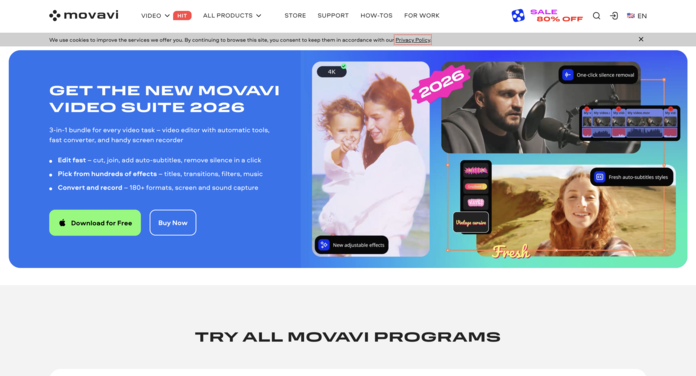
Movavi Video Editor is versatile and intuitive. This TikTok video editor helps users learn how to edit TikTok videos and empowers them to create engaging, creative videos with just a few clicks.
Movavi Video Editor offers a variety of options, including templates, animations, filters, and transitions. It even has an automated video-editing feature that selects the most interesting parts and turns them into a compelling story. It allows you to upload content directly to TikTok.
Pros:
- Intuitive drag-and-drop interface
- Extensive library of effects and transitions
- Quick rendering speed with Fast HD Track
Cons:
- Lacks some advanced features for professionals
8. Vimeo
- Platforms: Web, iOS, Android
- Pricing: Free plan; Starter from $12/mo; Standard $25/mo; Advanced $75/mo ⚠️
- 2026 standouts: Transcription and translated subtitles on every plan, text-based editing, AI highlight reels
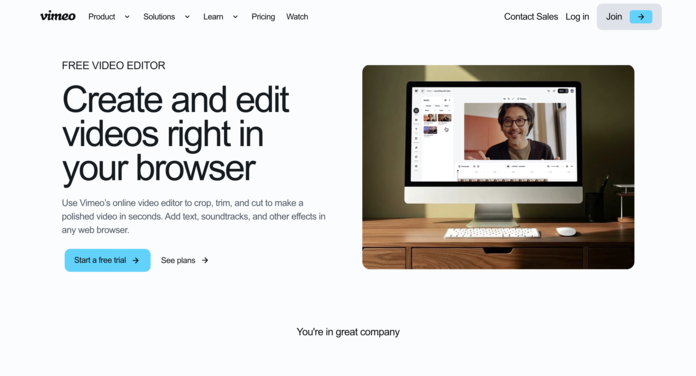
Powered by AI, Vimeo is one of the best video editors for TikTok, aiming to simplify the editing process. It can automatically transform your footage into polished videos, perfect for TikTokers looking to save time.
Just select a style, add your media files and music, and Vimeo will use its AI Tools to produce an impactful video in minutes. You can also share the video directly on social media platforms like TikTok and YouTube from within the app.
Pros:
- Quick and automated editing
- AI-driven insights can help improve video quality
Cons:
- Less manual control over edits
- Subscription-based pricing
.png?width=1200&height=600&name=Blog%20Featured%20Images%20(1).png)
Short-Form Videos: Schedule Reels, TikToks, and YouTube Shorts with Sendible
9. Kinemaster
- Platforms: Apple iOS and Android
- Pricing: Free (with watermark); Premium from $8.99/mo or $49.99/yr
- 2026 standouts: AI auto-captions, AI Magic Removal, noise removal and upscaling, word-by-word text animation
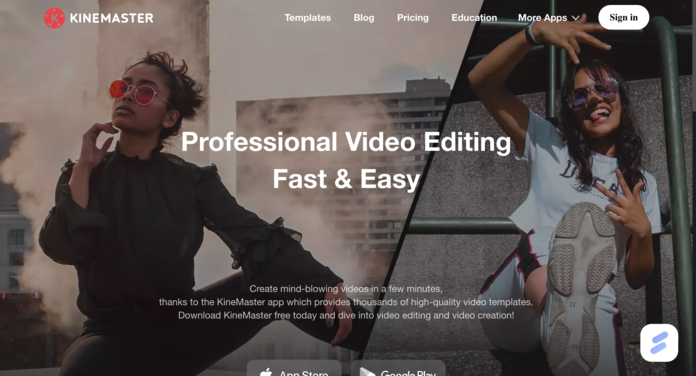
Kinemaster offers a professional editing touch on mobile platforms. With multi-layer editing and precision control, it's for those who want a deeper dive into editing.
Kinemaster has an extensive library of templates, effects, transitions, and soundtracks. It also supports features such as chroma keying, background removal, and audio editing, making it easier for creators to experiment with unique video concepts.
Pros:
- Trending video templates
- Precise cutting and trimming
- Smooth transition animations
Cons:
- It might be overwhelming for beginners.
10. Promeo
- Platforms: iOS, iPadOS, macOS
- Pricing: Free (limited); from $6.99/mo or $31.99/yr
- 2026 standouts: 10,000+ templates sized for TikTok, Reels and Shorts; AI video generation; AI copy and caption writer

Promeo is an advanced video-editing tool for those seeking a cinematic touch in their TikTok videos. It offers powerful tools such as masking, blending modes, and keyframing to create eye-catching visuals.
The app provides access to thousands of pre-made templates as well as stock footage and soundtracks. Plus, its advanced colour correction capabilities ensure your videos look great even in low-light conditions.
Pros:
- High-quality output.
- Cinematic video effects
- Professional audio and video filters
Cons:
- Limited output formats for TikTok
11. Splice
- Platforms: Apple iOS and Google Play Store (Android, etc)
- Pricing: Free (basic tools); Lite $89.99/yr; Premium $119.99/yr (weekly plans also available)
- 2026 standouts: 6,000+ royalty-free tracks, speed ramping, chroma key, captions
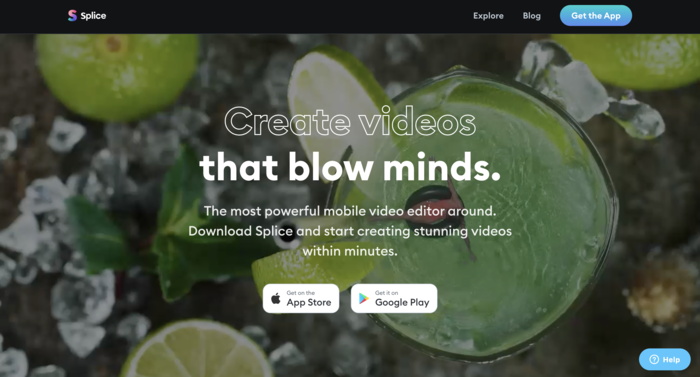
Splice, from the creators of GoPro, is a TikTok video editor built for clarity and simplicity. It’s perfect for TikTokers who shoot their videos outdoors and want that GoPro polish.
Splice’s intuitive editing tools make it easy to arrange clips, add music and titles, adjust video and audio settings, apply transitions, and rotate the orientation of your videos on any axis — all with a few taps.
Pros:
- Simplified editing process
- Offers a range of free music and sound effects
Cons:
- Limited advanced editing features
Best AI-powered video editors for quick turnaround
12. Picsart
- Platforms: Web, Apple iOS, and Google Play Store (Android, etc)
- Pricing: Free (limited); Pro $15/mo or $10.50/mo billed yearly; Ultra $47/mo or $37.50/mo billed yearly
- 2026 standouts: Access to dozens of third-party AI image and video models, brand kits, credit-based AI generation
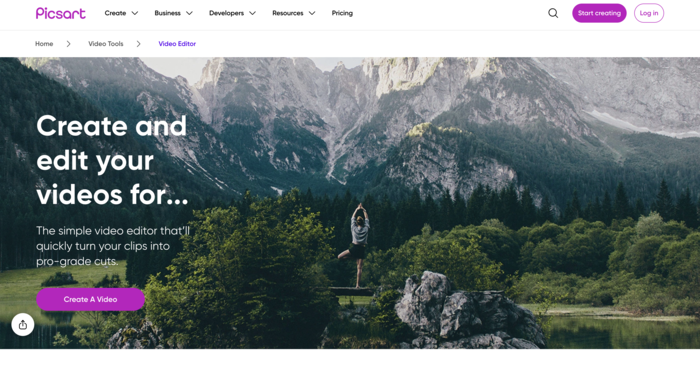
While predominantly an image editor, Picsart also offers a range of video editing tools. Its video maker feature is perfect for creating engaging short-form videos.
Top features: text tool, music library, video animations
Pros:
- An AI-powered creative companion
- A full creative suite, but cheaper than Adobe
- Great for editing TikTok videos
Cons:
- Lots of features to learn
- Not as many TikTok templates as there are for other platforms
13. Zoomerang
- Platforms: Apple iOS and Google Play Store (Android, etc)
- Pricing: Free (with watermark); Pro + AI $9.99/mo; Advanced + AI $39/mo (cheaper billed yearly)
- 2026 standouts: Text-to-video, AI music, AI voiceovers and AI UGC-style presenters (Advanced)
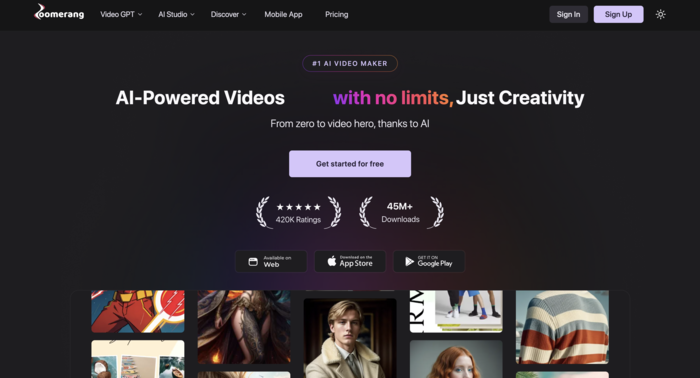
Designed specifically for social media, Zoomerang is one of the best TikTok video editor, offering tutorials, effects, and tools tailored for short-form content creators. It has hundreds of templates that serve as starting points for your video, including transitions and intros.
You can also customise your video with music, audio effects, and text overlays. Plus, its AI tools let you automatically trim and merge videos, add motion graphics, and even create stop-motion animations. It’s become even more AI-centric in recent months, with a full AI video-editing suite.
Pros:
- A complete AI video editing suite.
- Designed for social media platforms, especially short-form video content like TikTok
- Fresh content and effects
Cons: Limited to basic editing tools
14. Funimate
- Platforms: Apple iOS, Google Play Store (Android, etc), and the Huawei App Gallery.
- Pricing: Free (with watermark and ads); Pro $6.99/mo or $2.99/wk (7-day free trial)
- 2026 standouts: AI effects and AI cutout, keyframe animation and masking, AI object removal
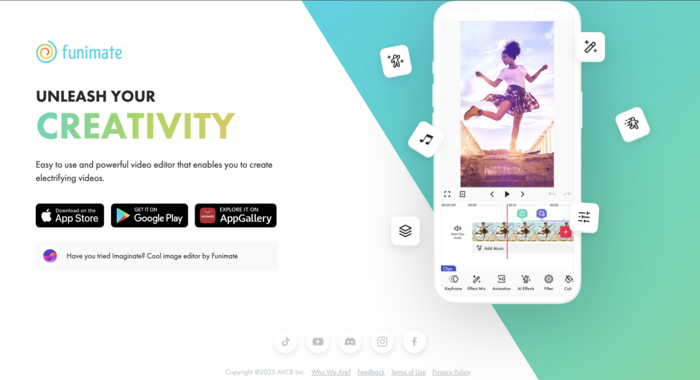
Funimate is a TikTok editing app focused on fun video edits. With lively transitions and unique visual effects, it’s for those who wish to add a playful touch to their content.
Funimate offers an impressive range of effects, including distortions, transitions, particles, and flares. It also allows you to add soundtracks from its library or your collection. Plus, it lets you upload content directly to TikTok without leaving the app.
Pros:
- TikTok-like video effects
- Community feature to collaborate with other Funimate users
Cons: Some features are behind a paywall
Short-Form Videos: Schedule Reels, TikToks, and YouTube Shorts with Sendible

You can trim and crop clips, add colour-based filters, and include objects such as stickers and shapes. Its library of aesthetic titles, templates, stock music, and animated transitions also makes it an excellent choice for content creators to give their videos a unique touch.
Top features for TikTok: Text tool, music library, and video animations
Pros:
- Easy to use, whether for 1 account or 1000s across multiple channels
- Content scheduling, unified inbox, content management, and deep analytics
- Complete TikTok-centric features, making it even more effective at creating TikTok native videos
Cons:
- Limited video editing capabilities
Price: Starts with a 14-day free trial, with Core pricing from $35/month.
Should you use TikTok's built-in editor?
For quick, trend-led posts, yes. TikTok's in-app editor covers trimming, templates, effects, text, auto-captions and trending sounds, so you never leave the app. For anything you want to reuse across channels or edit precisely, a separate editor gives you more control.
On desktop, TikTok Studio (the web version) now includes Smart Split, which automatically cuts uploads longer than a minute into several shorter clips, reframes them vertically and adds captions. That's useful for turning webinars or podcasts into TikToks without a third-party tool.
The trade-off is that videos edited inside TikTok are hard to reuse cleanly on Instagram, YouTube Shorts or LinkedIn. If you post short-form video on several networks, edit in a standalone app, then schedule everywhere from one place.
How to choose a TikTok video editor
Ask five questions:
- Where do you edit? On the go, choose a mobile app (Edits, InShot, KineMaster, Premiere mobile). For batch production, choose desktop (Movavi, Riverside, CapCut desktop).
- Do you need watermark-free exports for free? Edits and Adobe Premiere on mobile are the strongest free options. Most other free plans add a watermark.
- How much do you rely on captions? Most viewers watch with the sound off, so check auto-caption limits on free plans. CapCut now caps them.
- Are you repurposing long-form content? Riverside's Magic Clips and TikTok Studio's Smart Split are built for this.
- Who owns the content? If you edit client or brand assets, read the editor's terms on content licensing before you upload anything.
What is the best video editor for TikTok?
There's no single best TikTok video editor. It depends on budget and workflow. CapCut is the most feature-rich free all-rounder. Edits by Instagram and Adobe Premiere on mobile are the best free options with no watermark. Movavi is the easiest paid desktop editor, and Riverside is best for turning long-form content into clips.
Once you’ve found what works, keep doing that, even if it’s a different approach to how you promote your brand on other platforms.
Understand your audience: Knowing your target audience's interests will help you create a video that resonates with them. This will also give you a better idea of how to structure your videos and which content would be most engaging.
Use high-quality footage: It's a must if you want your TikTok videos to stand out or promote a product on TikTok. Use high-quality video clips to help your viewers get the most out of your content.
Add effects sparingly: While effects can elevate a video, overusing them can make your content appear unprofessional. When using effects, aim for a balance between creativity and subtlety.
Use trending or audience-centric music: Music sets the tone of your video; ensure it aligns with your message. Choose a catchy soundtrack that keeps your viewers engaged throughout the video.
Engage early: Capture the audience's attention in the first few seconds. Use captivating visuals or dialogues to draw your viewers in.

The Ultimate Guide to Creating Short-Form Videos
TikTok video editor FAQs
Is CapCut banned in the US? No. CapCut briefly went offline in the US in January 2025, but it returned to the App Store and Google Play in February 2025. Since January 2026, ByteDance's US apps have been run under the TikTok USDS joint venture, and CapCut is available to download as normal.
What is the best free TikTok video editor without a watermark? Edits by Instagram and Adobe Premiere on mobile both export without a watermark at no cost. CapCut's free plan is also watermark-free unless you use Pro templates or effects. InShot, KineMaster, Zoomerang and Funimate add a watermark on their free plans.
CapCut vs InShot: which is better for TikTok? CapCut has more advanced features, including AI video generation, motion tracking and a desktop version. InShot is simpler and faster for quick mobile edits. InShot Pro is also cheaper ($4.99/month, or $49.99 for lifetime access), compared with $9.99–$19.99/month for CapCut's paid tiers.
What's the best TikTok video editor for desktop? For simple drag-and-drop editing, Movavi Video Editor (Windows and macOS, from $69.95/year). For repurposing podcasts or long recordings into short clips, Riverside. CapCut also has a free desktop app.
Does TikTok have its own video editor? Yes. The TikTok app has a built-in editor with templates, effects, text and auto-captions. On desktop, TikTok Studio can automatically split long videos into short, captioned clips.
Can I edit TikTok videos on my phone for free? Yes. Edits, Adobe Premiere on mobile, CapCut, InShot and KineMaster all have free plans on iOS and Android. Edits and Premiere are free with no watermark.
Final thoughts on video editing for TikTok videos
Crafting a memorable TikTok video requires creativity, an understanding of the platform, and a reliable video editor.
With the editors listed above, creators of all skill levels can produce eye-catching content that resonates with their target audience.
You can then use Sendible to schedule out your posts and use the analytics feature to see what is working for your brands for engaging your fans on TikTok.
Whether you're just starting out and looking to carve a niche on TikTok or a business aiming to leverage the platform for marketing, there's a tool designed to meet your specific needs.
For busy social media managers and multi-location CMOs, Sendible is a highly recommended social media management tool. With a 14-day free trial, you can discover all the features that enhance your social media presence while saving time and money.
Whichever editor you choose, consistency matters more than any single tool, so pair it with a scheduler that keeps your TikToks, Reels and Shorts going out on time.

Try Sendible free with 14-day free trial.
Leverage Sendible’s extensive integrations to create, schedule, publish, and engage with your posts seamlessly.

Text copied!