
How does Sendible solve property management social media challenges?

Property management social media struggles
How Sendible helps you overcome them
On-site teams and leasing staff often lack the time or resources to post engaging, branded content.
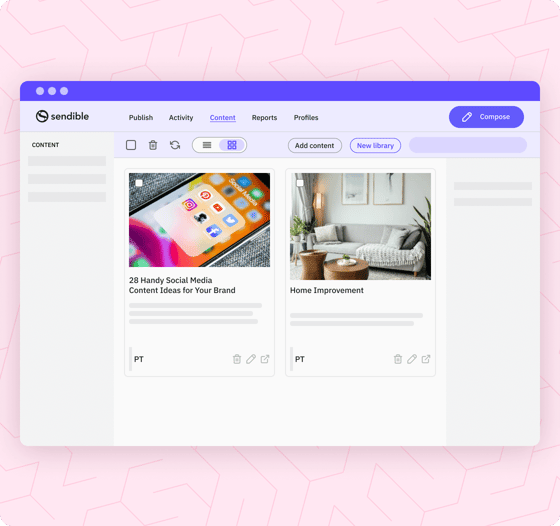
Build a content library filled with pre-approved posts and visuals so franchisees and on-site teams can publish content that’s always on-brand.
Managing social media across multiple property types—like student housing, luxury apartments, and retail spaces—requires siloed workflows for specialised teams.
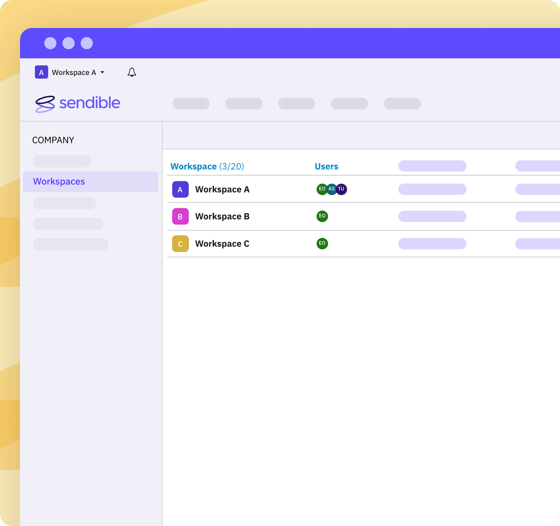
Give each vertical (student housing, senior living, commercial) its own Workspace, so every team only sees the properties and content that are theirs. Share profiles across Workspaces where teams overlap.
On-site teams need autonomy to manage daily content, but the head office still needs oversight and approval.
Give on-site teams their own Workspace and the right Workspace permissions, so they can create posts independently, while head office keeps final approval before anything goes live.
Posting the same message across multiple properties means manually duplicating and editing each post to personalise it.
Write one post and publish it to every property at once with Profile Lists. On Elite and Enterprise, Dynamic Fields personalise it for each property automatically, so there's no more copy-pasting.
Some property managers want full control from head office. Others want each location to manage its own calendar. Most need a blend of both.
Choose a fully centralised, fully decentralised, or hybrid publishing setup—Sendible flexes to match your workflow.
Reporting needs vary—from high-level portfolio insights to granular, per-property or vertical breakdowns.
See each property's performance in ready-made reports, and on Premium and above build branded reports that combine the profiles you choose, sent automatically to whoever needs them.
On-site teams and leasing staff often lack the time or resources to post engaging, branded content.
Build a content library filled with pre-approved posts and visuals so franchisees and on-site teams can publish content that’s always on-brand.
Managing social media across multiple property types—like student housing, luxury apartments, and retail spaces—requires siloed workflows for specialised teams.
Give each vertical (student housing, senior living, commercial) its own Workspace, so every team only sees the properties and content that are theirs. Share profiles across Workspaces where teams overlap.
On-site teams need autonomy to manage daily content, but the head office still needs oversight and approval.
Give on-site teams their own Workspace and the right Workspace permissions, so they can create posts independently, while head office keeps final approval before anything goes live.
Posting the same message across multiple properties means manually duplicating and editing each post to personalise it.
Write one post and publish it to every property at once with Profile Lists. On Elite and Enterprise, Dynamic Fields personalise it for each property automatically, so there's no more copy-pasting.
Some property managers want full control from head office. Others want each location to manage its own calendar. Most need a blend of both.
Choose a fully centralised, fully decentralised, or hybrid publishing setup—Sendible flexes to match your workflow.
Reporting needs vary—from high-level portfolio insights to granular, per-property or vertical breakdowns.
See each property's performance in ready-made reports, and on Premium and above build branded reports that combine the profiles you choose, sent automatically to whoever needs them.

How did RE/MAX Realtron scale social media to 1,200 agents without adding headcount?

RE/MAX Realtron, the second-largest real estate brokerage in Canada, supports 1,200 agents across 330 social accounts with Sendible. Account importing, Profile Lists and scheduling replaced a manual process that took 3–4 hours per content upload.

Louie-Bettio-remax-circle

How does Sendible support property management teams? 

Sendible supports property management teams with four connected tools. A Content Library gives on-site teams pre-approved posts they can publish as they are. Workspaces separate every property, region or vertical. Dynamic Fields personalise one post for every property (Elite and Enterprise). Branded reports send themselves to owners and leadership (Premium and up). Head office stays in control without writing every post. 

Create a Content Library with pre-approved posts.
Create a centralised library of visuals, posts and articles divided by vertical, content pillar or any other category to improve the quality of your posts and save valuable time for your team.
No more content blocks
content-library-management-system-long
A Workspace for every property, region or vertical.
Organise your portfolio however it runs — by property, region or type — with a Workspace for each. On-site teams only see their own properties, head office sees everything, and every plan includes unlimited users, so adding the next property manager never adds a seat.
See how Workspaces work
workspaces-list-long
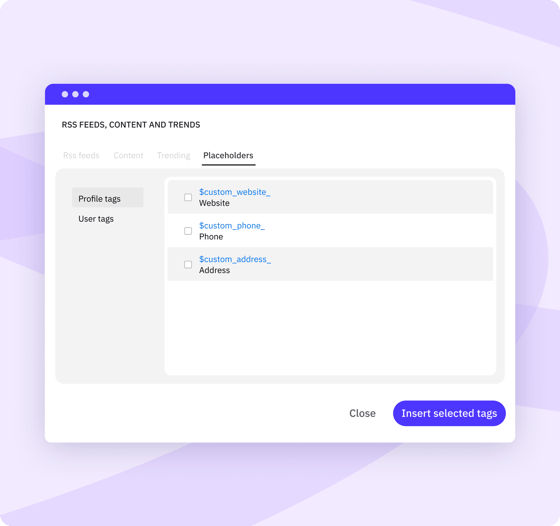
Automatically personalise posts for multiple properties.
Create one post and let Dynamic Fields fill in each property's details, such as links, text, CTAs and hashtags, for every profile. Available on Elite and Enterprise.
Optimise content personalisation
custom-content-tags-maximise-productivity-long
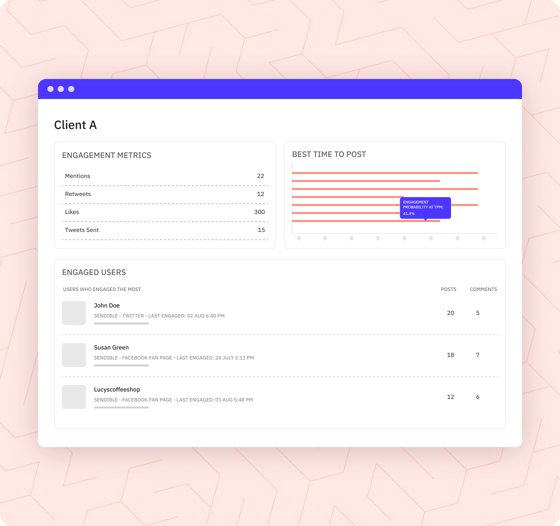
Build branded reports across multiple profiles.
Combine the profiles, properties and modules you need in one branded report, then set it to send automatically, once or on a schedule, as a PDF with a live link. Available from the Premium plan up. 
Automate advanced reporting
automated-reports-feature-customise-long
content-library-management-system-long workspaces-list-long custom-content-tags-maximise-productivity-long automated-reports-feature-customise-long
UNLIMITED USERS

How much can property management teams save with Sendible? 

Seat-based tools charge for every agent you add. Sendible includes unlimited users on every plan, so growing the team doesn't grow the software bill. 

Start your 14-day free trial
Feature
Sprout Social
Hootsuite
Agorapulse
SocialPilot
Buffer
Sendible
Sprout Social
Hootsuite
Agorapulse
SocialPilot
Buffer
Sendible
Cost for 5 team members on most popular plan
More information
Based on top mid-tier plans (Sprout Professional at $299/seat, Hootsuite Professional at $199/seat, Agorapulse Advanced at $199/seat). A 5-person team costs $995–$1,495+/mo on competitors vs. Sendible’s $199/mo flat rate.
$1,495/mo (billed annually)
$995/mo (billed annually)
$745/mo (billed annually)
$169/mo (billed annually, flat rate)
Plan choice and flexibility
More information
Avoid forced enterprise upgrades just to unlock extra seats or client profiles. Choose a plan tailored to your workflow and add dedicated workspaces à la carte whenever you scale.
4 rigid plans (forced tier upgrades)
5 flexible plans (add extra Workspaces à la carte)
Cost to add one more location manager
More information
Most enterprise social media management tools offer per-seat charging. With Sendible, you don't get taxed per-seat.
+$299/mo (Professional, billed annually)
+$199/mo (Professional, billed annually)
+$149/mo (Advanced, billed annually)
$0 — unlimited users on every plan

How do you spend less time on social media admin and more time filling units? 

Sendible cuts portfolio admin three ways. Bulk imports schedule posts across every property at once. Priority Inbox brings resident comments and messages into one place. Content Queues keep evergreen tips going out on their own, so a busy on-site team doesn't mean a quiet feed. 

bulk-import-feature-scheduling-short

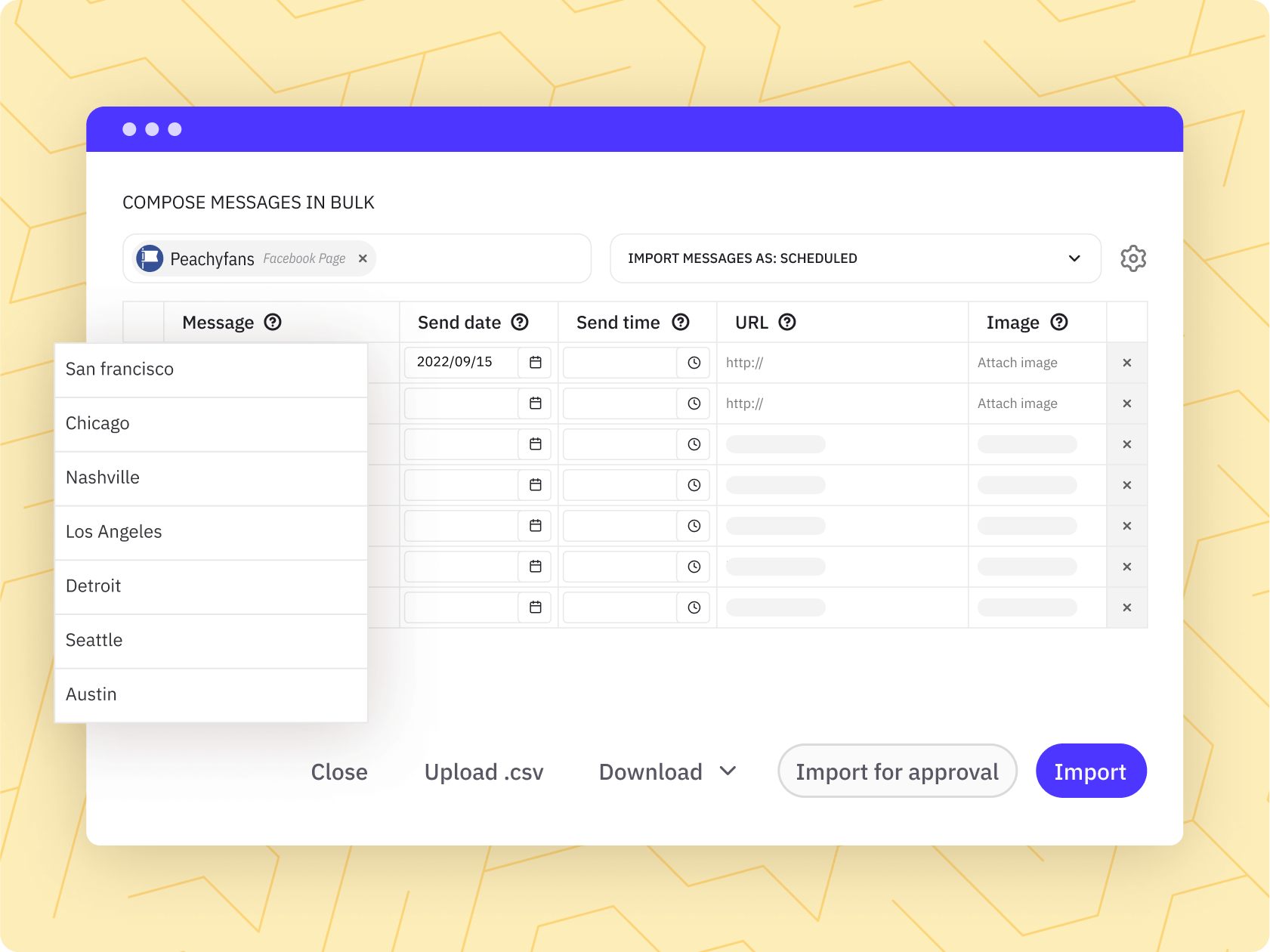
Schedule for every property in one go. 

Group your properties' profiles into Profile Lists (up to 50 profiles per list), then bulk import a CSV of posts to schedule across the whole list at once. 

Start saving time
priority-inbox-feature-collaborate-short

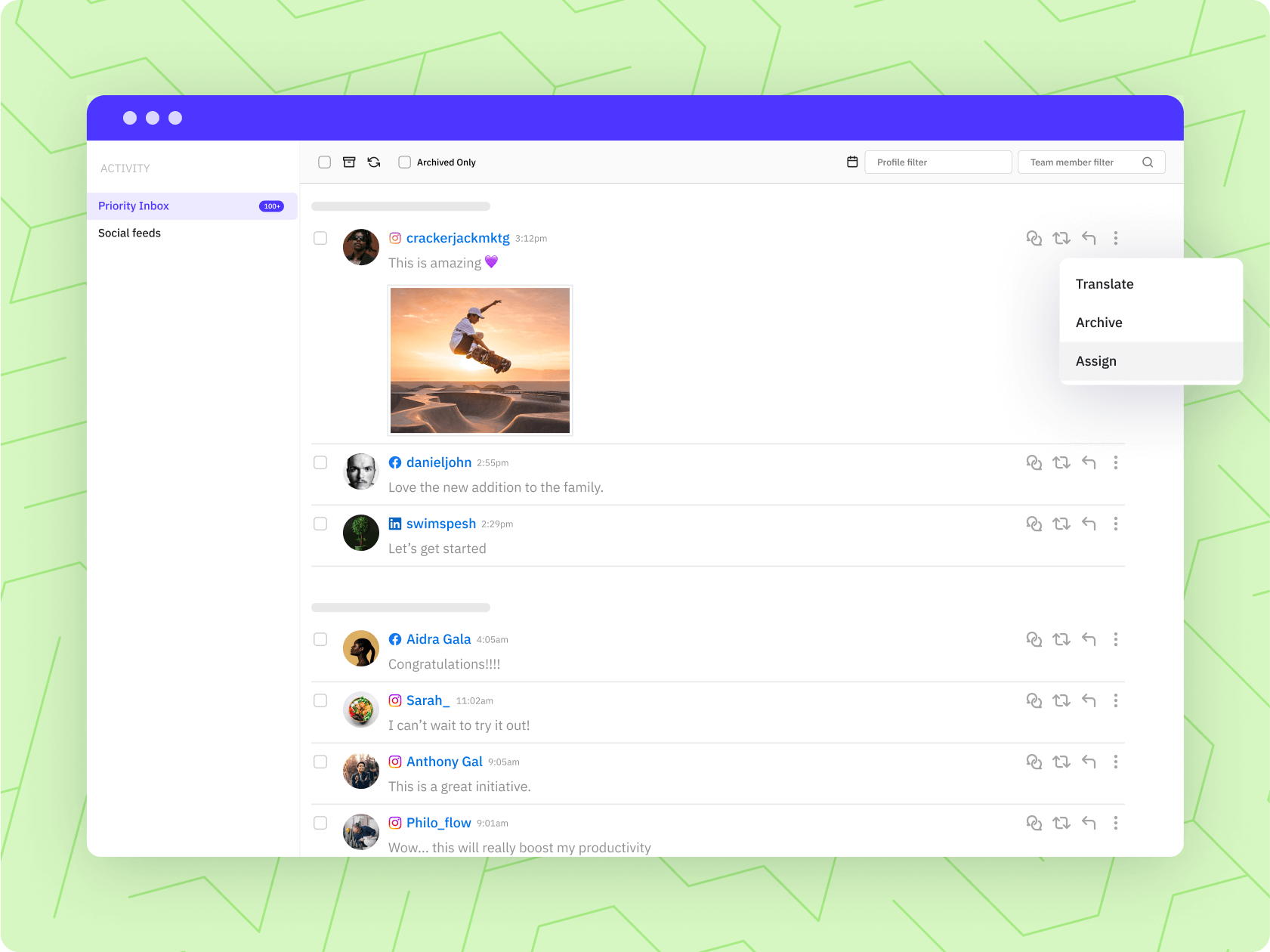
Resident comments and messages, all in one place. 

Priority Inbox brings comments and replies from your properties' Facebook Pages, Instagram professional accounts, LinkedIn Company Pages and YouTube into one place, along with Facebook Page direct messages. Assign any of them to the right on-site team member to answer. 

Improve collaboration
smart-queue-feature-content-short

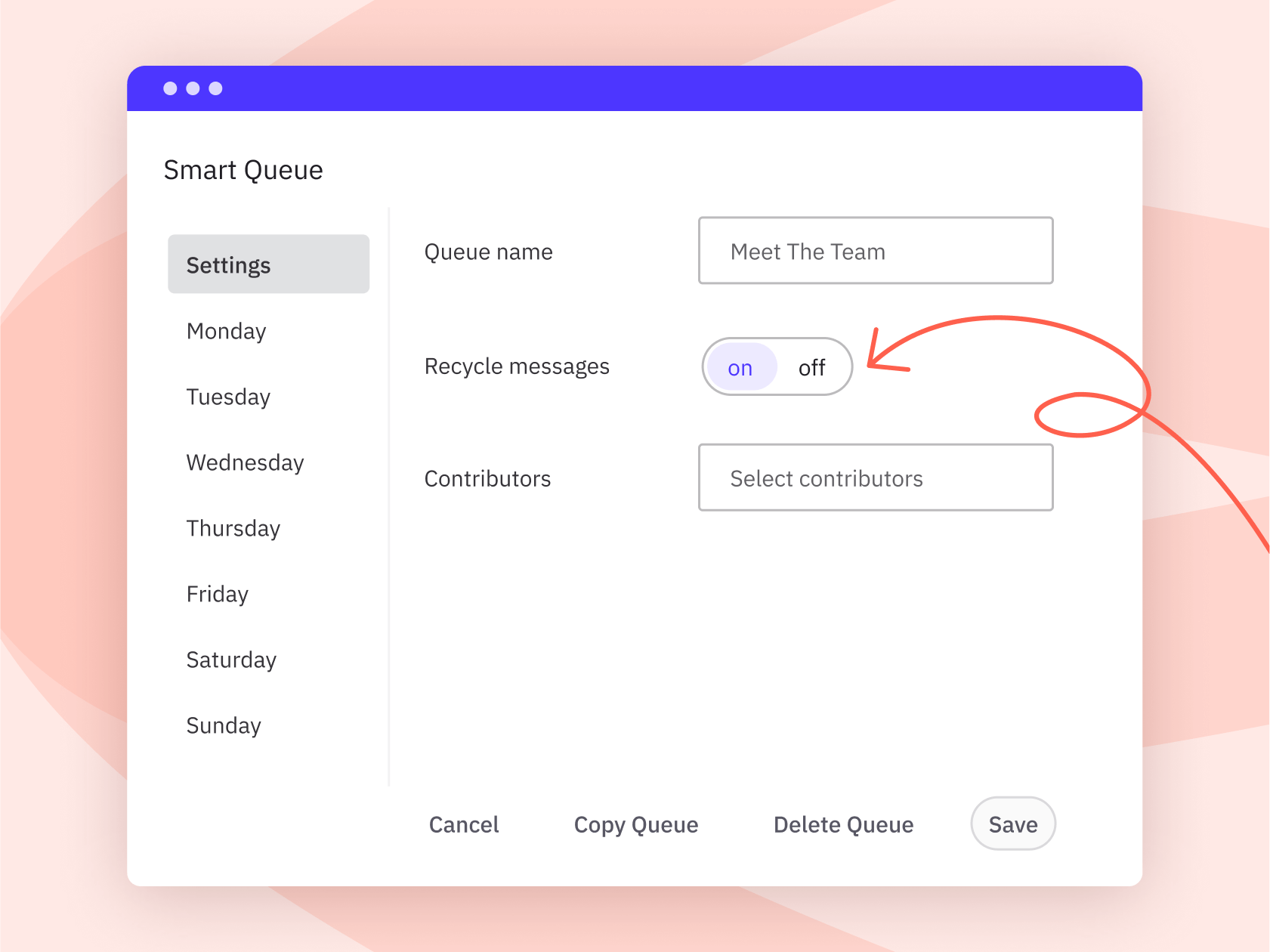
Schedule hundreds of evergreen posts. 

Use Smart Queues for timeless content like maintenance tips and resident advice. Queued posts recycle automatically, going back to the end of the queue once they're published, so your feeds stay active in quiet weeks.

Schedule timeless content

What does Joe Zeplin's review of Sendible show?

Joe Zeplin reviews Sendible for managing multiple brands and locations. It's an walkthrough of how the platform handles multi-location accounts in practice. 


Property management resources made by the Sendible team for you.

We’re dedicated to helping you maximise your investment by sharing knowledge that will help you transform followers into high-quality renters.
Content calendar for property managers
Template

Social media calendar for property managers

social-media-visuals-for-property-managers-header-image-new-1
Article

Content ideas for property managers

Property management AI assistant
AI Assistant

Property management AI assistant

foundations-of-social-media-for-property-management-header-image-new
Guide

Social media for property management

Frequently asked
questions.

Every Sendible plan includes unlimited users, so you never pay per property manager or leasing agent. Cost depends on how many Workspaces and social profiles you need, and which features, such as approvals, content libraries or branded reports. You can add Workspaces as the portfolio grows without jumping to the next plan. Book a consultation and we'll map out the right setup for your portfolio. 

Yes. Give each property, region or team its own Workspace, and use Workspace permissions to decide what each person can see and do. Set on-site users to need approval before their posts go live, so head office signs off on everything without having to write it. 

Approvals are available from the Plus plan up. You can require approval for specific users, or name a post approver for everything in a Workspace, so every post is reviewed by the right person first. Each approval request keeps its comments and decision together in one place. Many teams also keep a Content Library of pre-approved posts and images, so on-site staff start from content that's already been checked. Sendible doesn't review content for legal compliance itself; it makes sure your reviewer sees every post before it publishes. 

Yes. Group your properties' profiles into Profile Lists (up to 50 profiles per list) and publish one post to the whole list in a single step, or bulk import a CSV of posts to schedule across it. On Elite and Enterprise plans, Dynamic Fields then fill in each property's own details, such as its name, link or phone number. 

Yes. Create a Workspace for each property type, region or brand, so every team only sees the properties and content that are theirs. Profiles can be shared across Workspaces where teams overlap, and head office can move between them all. 

Ready-made reports show each property's performance by network, and the Engagement report combines Facebook, Instagram and LinkedIn Company Page results across the profiles you include. From the Premium plan up, you can also build branded reports and send them automatically on a schedule, as a PDF and a live link, to owners, regional managers or leadership. 

Priority Inbox brings comments and replies from your Facebook Pages, Instagram professional accounts, LinkedIn Company Pages and YouTube into one place, along with Facebook Page direct messages. Assign any message to the right on-site team member so nothing goes unanswered. 

Yes. Schedule Google Business Profile posts for each property, including call-to-action buttons, alongside your social content, so every location stays current when prospective residents search nearby. Google Business Profile reporting isn't available in Sendible yet, so view those insights in Google directly. 

Facebook, Instagram, LinkedIn, X, TikTok, YouTube, Threads, Bluesky and Google Business Profile. See the full list of supported networks. 

Yes. To stay within each network's posting policies and protect accounts from being flagged as spam, Sendible applies a daily sending limit per Workspace: 100 on Core, 200 on Plus, 300 on Premium and 500 on Elite and Enterprise. 

Yes. There's a 14-day free trial with no card required, and standard plans have no contract, so you can cancel anytime. Plans can be billed monthly or annually (annual saves around 15%) in USD, GBP or EUR. We accept all major credit cards, and invoice or purchase order is available with a minimum of three months paid upfront. Non-profit and charitable organisations get 15% off monthly plans or 25% off annual plans. UK customers are billed VAT. 

Why our customers love Sendible.

“Sendible was there from step one, from A to Z, they helped us get rolling into the program. They've taught us tricks and tips.”

Louie Bettio, Marketing Director @ RE/MAX Realtron

“Sendible lets us create a month’s worth of content in one week for our clients, allowing us to spend the rest of the month engaging and optimizing.”

Sophia Rabe, Founder & CEO @ Olive + Milo

“I've been able to secure 5 clients because of the reporting system from Sendible.”

Sheri Herrmann, Founder & CEO @ 1972Media

“I like Sendible because, as a one person agency, it was totally affordable, streamlined, easy to use with the features I wanted, and not bloated with a bunch of stuff I never use. ”

Chris Ewing, Head Widget @ MindWidget Creative

“It's allowed me to grow my customer base because I have more time to dedicate to managing their content. And a huge thing that has helped me with using Sendible is the Canva plugin.”

Adrienne Wilkins, Founder @ Sphere Media Marketing

“I loaded an entire month of content across four platforms for one client the other day, each one with an image and a web link. It took me 35 minutes.”

Anna Rump, Founder @ Amelia Rose Media

“It's those finishing touches - things like client connect that you don't get anywhere else. It's that kind of thing that really makes Sendible stand out from the crowd.”

Gemma Edwards, Co-Founder @ So Contented

“The partnership with Sendible also accommodates our growing partner-base and caters for scalability at a cost-effective rate.”

Ryan Grimshaw, Head of Brand and Marketing @ Topodium Group

“I'm in love. Sendible is all I need from a social media posting platform and more. The best part is Sendible has saved us hundreds of dollars that a comparable plan with Hootsuite would've cost us.”

Melissa Cassidy, Operations Specialist @ Verge Real Estate

“Sendible lets us create a month’s worth of content in one week for our clients, allowing us to spend the rest of the month engaging and optimizing.”

Sophia Rabe, Founder & CEO @ Olive + Milo