



Trusted by loan officers and mortgage teams worldwide

From independent loan officers to large mortgage networks, teams rely on us to build their online presence, connect with borrowers and report results with confidence.

logo
US-Mortgage-Rebrand_color-logo
envoy-logo
logo
US-Mortgage-Rebrand_color-logo
envoy-logo
logo
US-Mortgage-Rebrand_color-logo
envoy-logo
logo
US-Mortgage-Rebrand_color-logo
envoy-logo

How does Sendible solve loan officer social media challenges? 

Loan officer social media struggles
How Sendible helps you overcome them
Loan officers struggle to maintain a consistent social presence while managing clients.
Build a library of pre-approved posts covering mortgage tips, FAQs, and client testimonials, ready to share.
Compliance rules make it difficult to allow individual loan officers to post freely.
Set any loan officer's posts to need approval, so compliance reviews everything before it publishes, and use Workspace permissions to control who can do what.
Managing multiple branch accounts or individual officer profiles is time-consuming.
Give each branch its own Workspace and connect loan officers' profiles with Client Connect, so head office can manage every account without collecting passwords.
Generic content doesn’t resonate with different local markets.
Write one post and publish it to every loan officer's profiles at once with Profile Lists. On Elite and Enterprise, Dynamic Fields fill in each officer's name, NMLS ID, phone number and local details automatically.
Loan officers often repeat the same updates manually across multiple accounts.
Bulk import posts, including video, and schedule them across every officer's profiles in one go.
It’s hard to prove the impact of social media on lead generation.
See each loan officer's and branch's performance in ready-made reports, and tag posts as Campaigns to see which topics land (Premium and up).
Loan officers struggle to maintain a consistent social presence while managing clients.
Build a library of pre-approved posts covering mortgage tips, FAQs, and client testimonials, ready to share.
Compliance rules make it difficult to allow individual loan officers to post freely.
Set any loan officer's posts to need approval, so compliance reviews everything before it publishes, and use Workspace permissions to control who can do what.
Managing multiple branch accounts or individual officer profiles is time-consuming.
Give each branch its own Workspace and connect loan officers' profiles with Client Connect, so head office can manage every account without collecting passwords.
Generic content doesn’t resonate with different local markets.
Write one post and publish it to every loan officer's profiles at once with Profile Lists. On Elite and Enterprise, Dynamic Fields fill in each officer's name, NMLS ID, phone number and local details automatically.
Loan officers often repeat the same updates manually across multiple accounts.
Bulk import posts, including video, and schedule them across every officer's profiles in one go.
It’s hard to prove the impact of social media on lead generation.
See each loan officer's and branch's performance in ready-made reports, and tag posts as Campaigns to see which topics land (Premium and up).

How does RE/MAX Realtron manage 330 social profiles for 1,200 agents with Sendible?

RE/MAX Realtron, the second-largest real estate brokerage in Canada, runs social media for 1,200 agents across 330 profiles in Sendible. Agents' profiles are imported in bulk and grouped into lists, so the marketing team can schedule one piece of content across every agent at once, instead of spending 3–4 hours on each upload by hand. A mortgage team managing dozens of loan officers has the same set-up problem. 

 

How does Sendible support loan officers and mortgage teams? 

Sendible supports mortgage teams with four connected tools. A Content Library holds compliance-approved posts that loan officers can share as they are. Workspaces give each branch its own space. Dynamic Fields add each officer's NMLS ID and contact details to every post (Elite and Enterprise). Client Connect lets head office manage officers' own profiles without collecting passwords. Compliance stays in the loop without slowing anyone down. 

Create a Content Library with pre-approved posts.
Create a centralised library of visuals, posts and articles divided by branch, content pillar or any other category to improve the quality of your posts and save valuable time for your team.
content-library-management-system-long
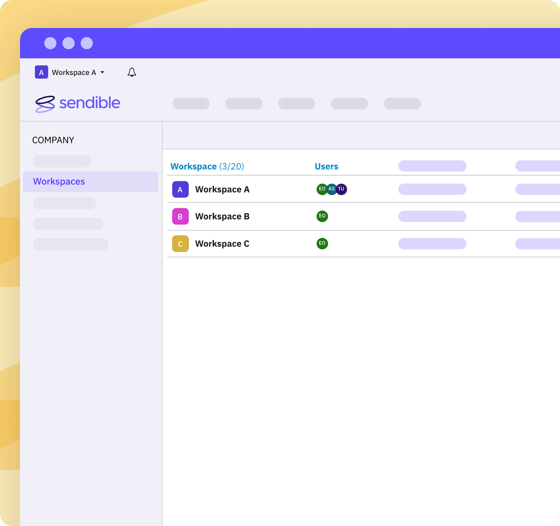
A Workspace for every branch.
 Give each branch or team its own Workspace, so loan officers only see their own content, while head office and compliance see everything. Every plan includes unlimited users, so adding the next loan officer never adds a seat. 
workspaces-list-long
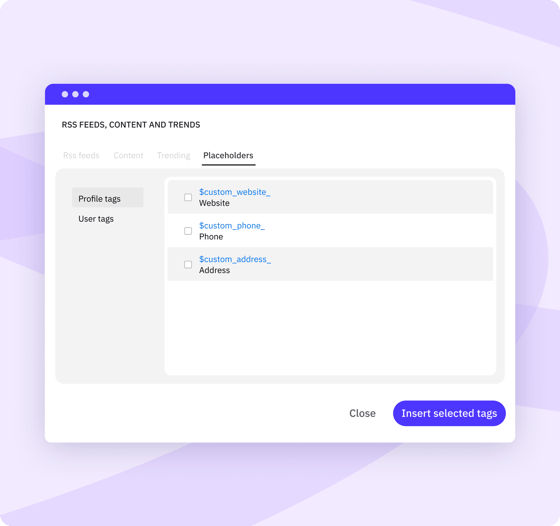
Add every loan officer's NMLS ID and details automatically.
Write one post and let Dynamic Fields fill in each loan officer's name, NMLS ID, phone number and links on every profile, so nobody has to remember to type them. Included on the Elite and Enterprise plans.
custom-content-tags-maximise-productivity-long
Manage loan officers' profiles without sharing passwords.
Loan officers connect their own social profiles to Sendible through a secure page on your website. They never hand over a password, and the head office can schedule, review and publish on their behalf. 
client-connect-add-widget-to-website-long
content-library-management-system-long workspaces-list-long custom-content-tags-maximise-productivity-long client-connect-add-widget-to-website-long
UNLIMITED USERS

How much can mortgage teams save with Sendible? 

Seat-based tools charge for every loan officer you add. Sendible includes unlimited users on every plan, so growing the team never adds cost. New branches only add cost if they take you past your plan's Workspaces or profiles. 

Start your 14-day free trial
Feature
Sprout Social
Hootsuite
Agorapulse
SocialPilot
Buffer
Sendible
Sprout Social
Hootsuite
Agorapulse
SocialPilot
Buffer
Sendible
Cost for 5 team members on most popular plan
More information
Based on top mid-tier plans (Sprout Professional at $299/seat, Hootsuite Professional at $199/seat, Agorapulse Advanced at $199/seat). A 5-person team costs $995–$1,495+/mo on competitors vs. Sendible’s $199/mo flat rate.
$1,495/mo (billed annually)
$995/mo (billed annually)
$745/mo (billed annually)
$169/mo (billed annually, flat rate)
Plan choice and flexibility
More information
Avoid forced enterprise upgrades just to unlock extra seats or client profiles. Choose a plan tailored to your workflow and add dedicated workspaces à la carte whenever you scale.
4 rigid plans (forced tier upgrades)
5 flexible plans (add extra Workspaces à la carte)
Cost to add one more location manager
More information
Most enterprise social media management tools offer per-seat charging. With Sendible, you don't get taxed per-seat.
+$299/mo (Professional, billed annually)
+$199/mo (Professional, billed annually)
+$149/mo (Advanced, billed annually)
$0 — unlimited users on every plan

How do loan officers spend less time on social media and more time with clients?

Sendible saves mortgage teams time in three ways. Bulk imports schedule posts and video for every loan officer at once. Comments and messages from borrowers come into one place, including Instagram DMs. Smart Queues keep evergreen mortgage tips going out on their own. 

bulk-import-feature-scheduling-short

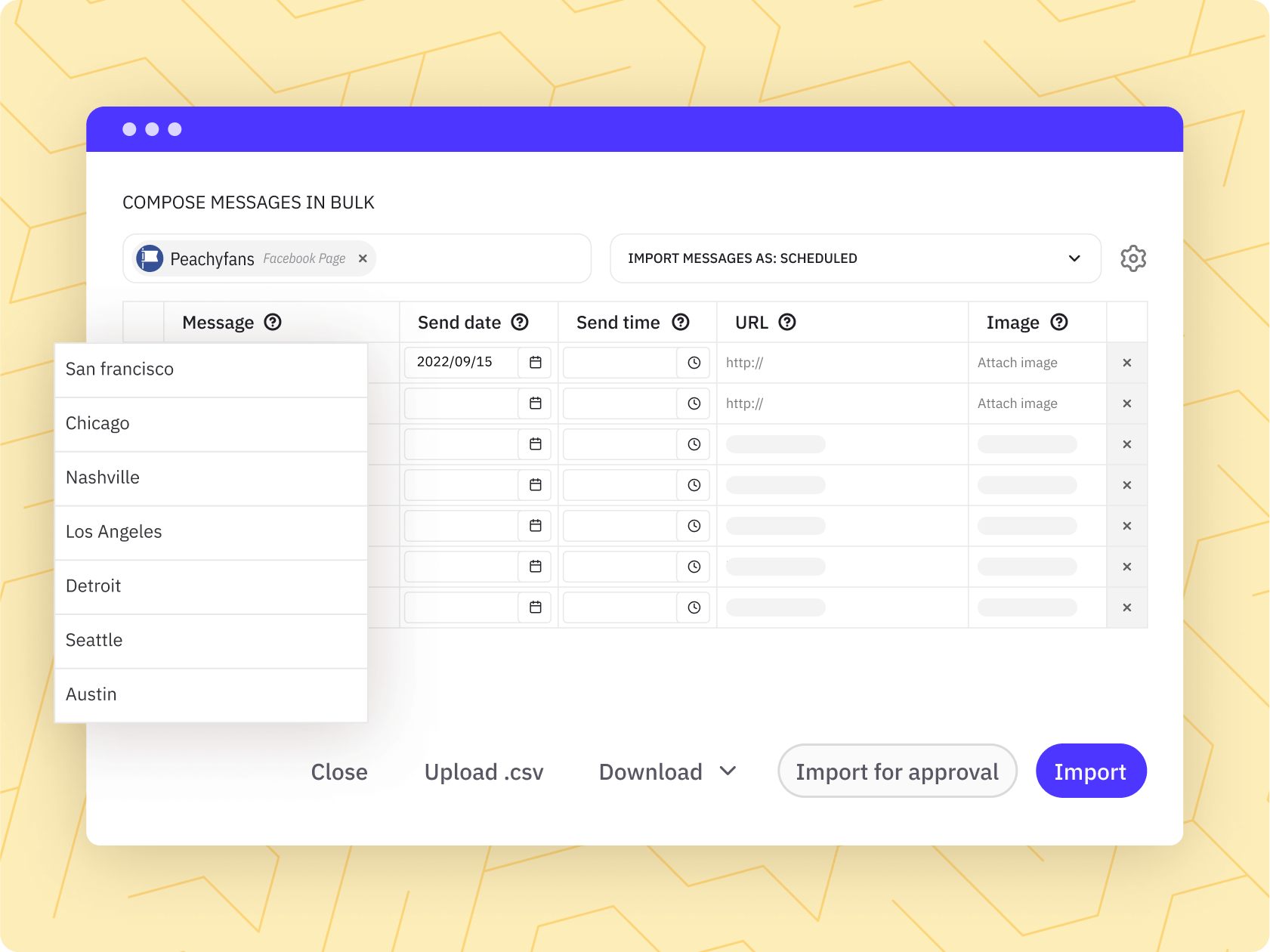
Schedule a month of posts for every loan officer in one go. 

Group loan officers' profiles into Profile Lists (up to 50 profiles per list), then bulk import posts, including video explainers, and schedule them across the whole list at once.

priority-inbox-feature-collaborate-short

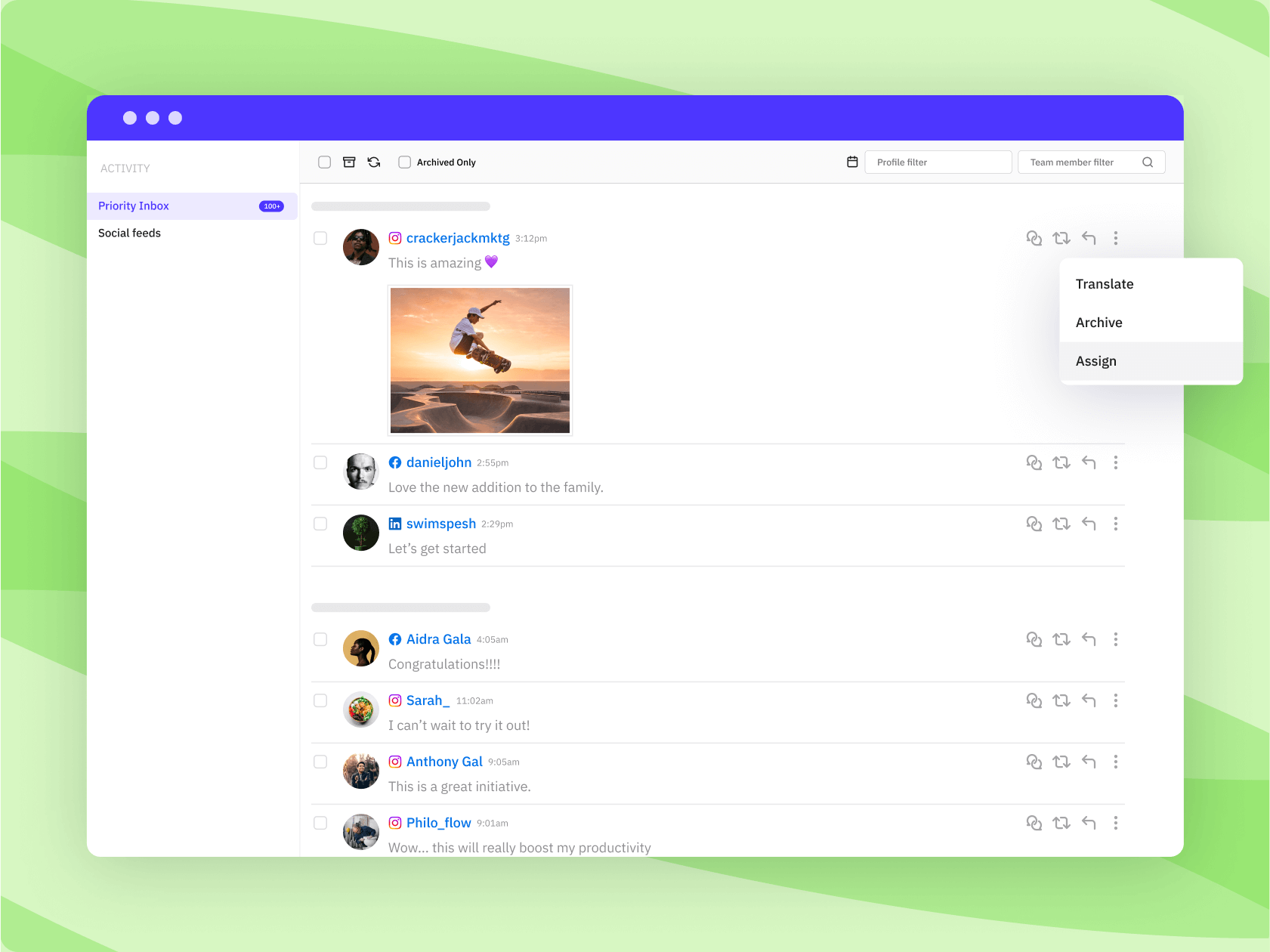
Every borrower question, in one place. 

Reply to comments and direct messages from your Facebook Pages and Instagram professional accounts, plus comments on LinkedIn Company Pages and YouTube, all from Sendible. Assign any of them to the right loan officer so no enquiry goes cold.

smart-queue-feature-content-short

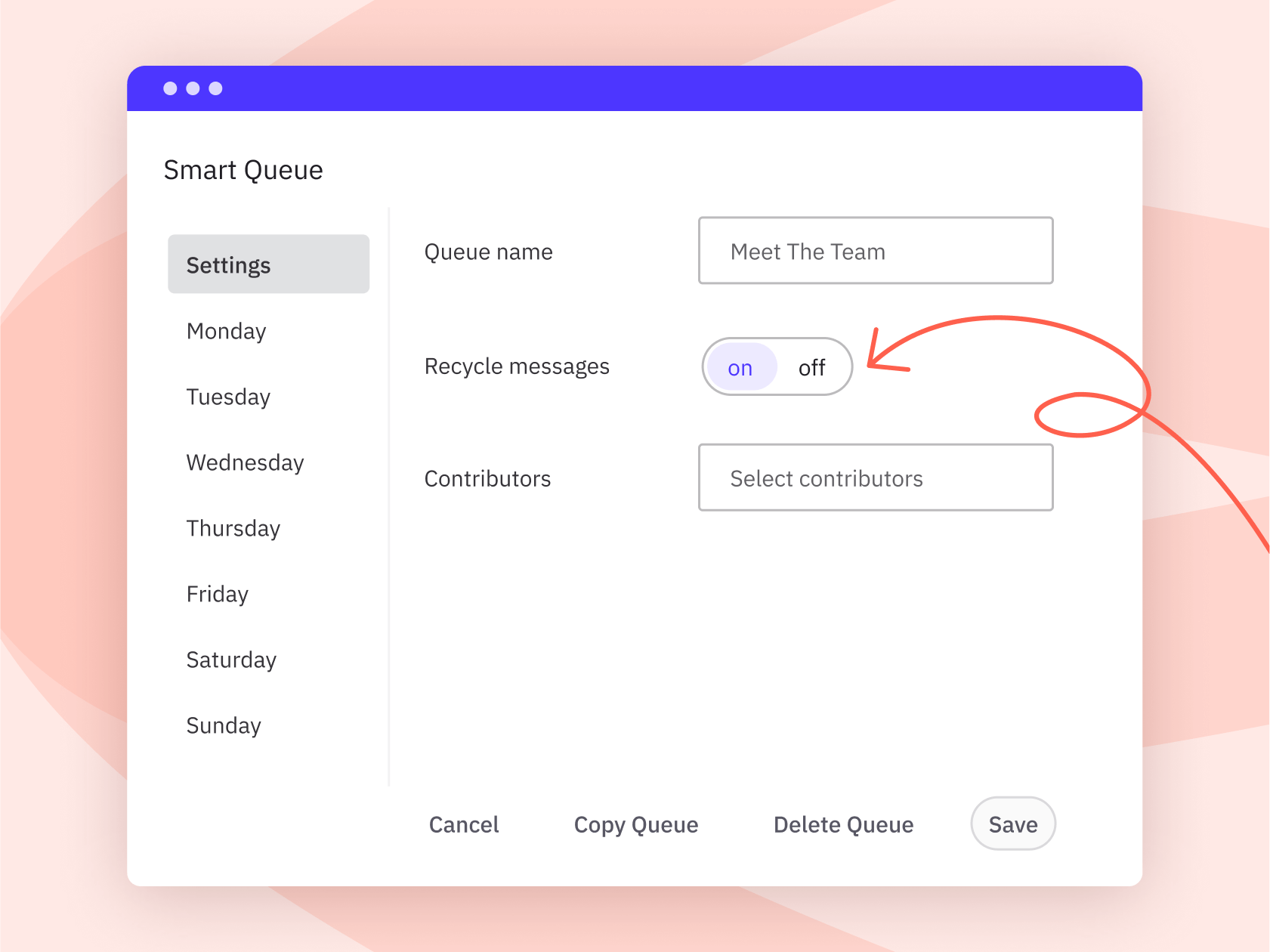
Schedule hundreds of evergreen posts.

Use Evergreen content queues for timeless content like first-time buyer tips, mortgage jargon explained and approved FAQs. Queued posts recycle automatically, so profiles stay active in busy weeks. 

What does Joe Zeplin's review of Sendible show?

Joe Zeplin reviews Sendible for managing multiple brands and accounts. It's an independent walkthrough of how the platform handles multi-account social media in practice. 

 

Mortgage broker resources made by the Sendible team for you.

We’re dedicated to helping you maximise your investment by sharing knowledge that will help you transform followers into high-quality renters.

social-media-for-loan-officers-header-image
Article

Social Media for Mortgage Brokers: A Complete Guide

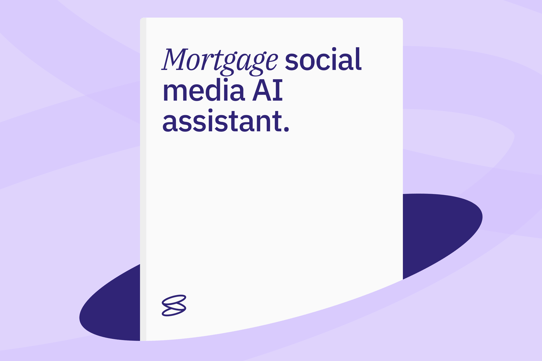
Mortgage social media AI assistant
GPT

Mortgage social media AI assistant

mortgage-social-media-post-ideas-header-image (1)
Article

20+ Mortgage Social Media Posts to Attract New Clients

Content calendar for loan officers
Template

Loan officer social media content calendar

Frequently asked
questions.

Every Sendible plan includes unlimited users, so you never pay per loan officer. Cost depends on how many Workspaces and social profiles you need, and which features, such as approvals, content libraries or Dynamic Fields. As you add branches or profiles, you can add Workspaces without jumping to the next plan. Book a consultation and we'll map out the right setup for your team. 

Yes. With Client Connect, loan officers connect their own profiles to Sendible through a secure page on your website. They never share their login details and the head office or compliance can schedule, review and publish on their behalf. 

Approvals are available from the Plus plan up. Set any loan officer to need approval before their posts publish, or name a post approver for everything in a Workspace, so compliance sees every post first. Each approval request keeps its comments and decision together. Many teams also keep a Content Library of compliance-approved posts and disclaimer wording, so loan officers start from content that's already been cleared. Sendible doesn't check posts against mortgage advertising rules itself; it makes sure your reviewer sees every post before it publishes. 

Yes. Dynamic Fields fill in each loan officer's NMLS ID, name, phone number and links whenever a post goes to their profile, so a shared post still carries the right details for every officer. Make sure every officer's fields are filled in, as a blank field leaves a gap in the post. On other plans, you can keep pre-approved templates with the disclosure wording in a Content Library. 

Yes. Group loan officers' profiles into Profile Lists (up to 50 profiles per list) and publish one post to the whole list in a single step. You can also bulk import a CSV of posts, including video, to schedule across it. 

Yes. Give each branch or team its own Workspace, and use Workspace permissions to decide what each person can see and do. Loan officers only see their own branch, while head office and compliance can move between them all. 

Yes. Schedule videos to Facebook, Instagram (including Reels and Stories), LinkedIn, TikTok and YouTube, including Shorts, from one place, or bulk import videos to schedule many at once. Pick a thumbnail and make quick edits like cropping and adding text before it goes out. 

Ready-made reports show each profile's performance by network. The Engagement report combines Facebook, Instagram and LinkedIn Company Page results across the profiles you include. From the Premium plan up, Campaigns let you tag posts by topic to see which ones land, and branded reports can be emailed automatically to branch managers or leadership. 

Reply to comments and direct messages from your Facebook Pages and Instagram professional accounts, plus comments on LinkedIn Company Pages and YouTube, without logging into each account. Assign any message to the right loan officer so no enquiry goes cold. 

Facebook, Instagram, LinkedIn (personal profiles and Company Pages), X, TikTok, YouTube, Threads, Bluesky and Google Business Profile. See the full list of supported networks. 

Yes. To stay within each network's posting policies and protect accounts from being flagged as spam, Sendible applies a daily sending limit per Workspace: 100 on Core, 200 on Plus, 300 on Premium and 500 on Elite and Enterprise. 

 Yes. There's a 14-day free trial with no card required, and standard plans have no contract, so you can cancel anytime. Plans can be billed monthly or annually (annual saves around 15%) in USD, GBP or EUR. We accept all major credit cards, and invoice or purchase order is available with a minimum of three months paid upfront. UK customers are billed VAT. 

Still have questions?

 Talk to us, or just dive in.

sales team new