

Are you looking to expand your reach on LinkedIn? Hashtags remain one of the most underutilised yet effective strategies for growing your professional presence.
LinkedIn hashtags help your posts get discovered by professionals actively searching for industry insights, career advice, or new solutions. With over 1.3 billion active users on LinkedIn, this is the platform you need to drive engagement and sales leads for your B2B business.
As LinkedIn continues to function more like a search engine for business content, using the right hashtags can significantly expand your reach beyond your existing network.
In this guide, we’ll explain how LinkedIn hashtags work, how to choose the right ones for your audience, and how to use them strategically to grow your presence, increase engagement, and show up in LinkedIn search results.
In the meantime, don't forget to grab our free LinkedIn Audit Checklist to expedite your hashtag and content analysis.
When did hashtags arrive on LinkedIn
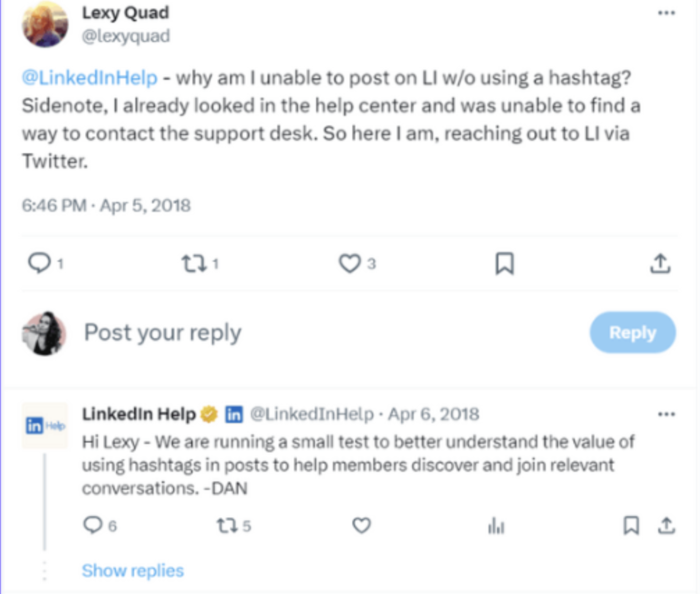
LinkedIn hashtags have had an inconsistent journey on the platform. Hashtags first appeared on LinkedIn in the early 2010s, disappeared for a while, and then returned in 2016.
Now LinkedIn hashtags are simply a part of the platform. Most people use them. But are you using them well enough, or using the right ones? That’s what we can help you with.
 Source: X
How do LinkedIn hashtags enhance content visibility and social SEO?
LinkedIn hashtags work in a similar way to TikTok, X (Twitter), and Instagram – to categorise the content.
Hashtags help users find content on a specific topic.
By integrating hashtags into your content, you open the door to reaching a wider audience on LinkedIn. Additionally, the ability to follow hashtags allows your selected posts to surface on your feed, expanding your content's visibility.
In marketing, hashtags are game-changers. They enhance the reach of LinkedIn content to a more diverse audience.
Despite some speculation about their relevance, hashtags continue to grow in importance as a fundamental component of social SEO strategies.

As social media platforms transform into search engines, simply throwing in a slew of generic hashtags won't suffice. It's essential to curate a tailored selection of industry-specific hashtags to maximise your reach and engagement.
Track your most effective hashtag combinations using tools like Sendible's Content Library to build a repository of proven strategies. Refer to this LinkedIn guide for more LinkedIn marketing ideas.

How to use hashtags on your LinkedIn Profile and Company Pages?
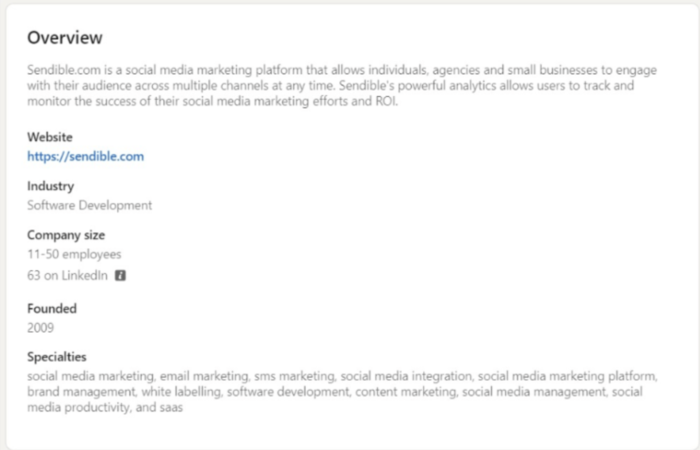
The good thing is that hashtags work on both LinkedIn Profiles and Company Pages. In fact, LinkedIn now calls page hashtags ‘Specialisms,’ which you can add to your page details to appear in relevant searches.
This will make it easier for other LinkedIn members to discover your content and follow you.
For example, when I search for #socialmediamarketing in ‘People’ (rather than the default ‘Content’) I see these results:
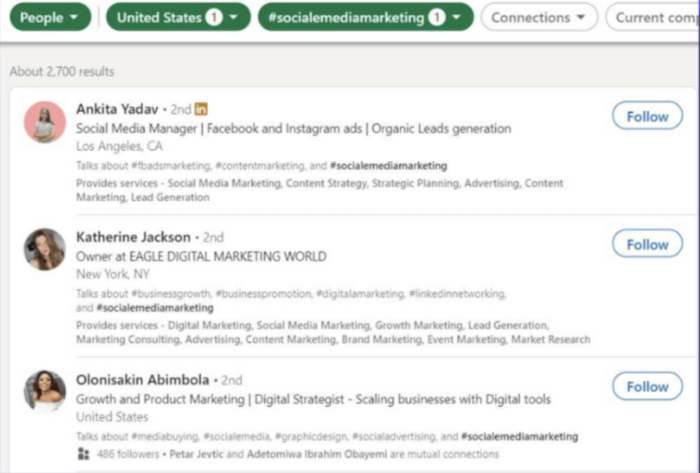
LinkedIn allows you to filter hashtags through various categories such as format (People, Jobs, Posts, etc.), Location, Connections, and Current companies.
You'll notice that the searched hashtag in Profile Headline under the talks about section is bolded. While these hashtags aren't as clickable as the ones used in posts, they help you grow your audience and reach.
LinkedIn Pages on the other hand don't have the possibility to add hashtags, but the platform offers you an option to add up to 20 specialities. Company specialities serve as searchable keywords for your Company Page that will help people find your business easier.
Actionable Guide: Where to place hashtags in LinkedIn posts, articles, and comments
There are two sides to using hashtags on LinkedIn:
- Finding relevant hashtags to follow, so you can join a conversation.
- Adding relevant hashtags to your content, so more people can discover you.
How to add hashtags to your LinkedIn posts
At the top of the homepage, click into the ‘Share an article, photo, video or idea’ field to write your post content:
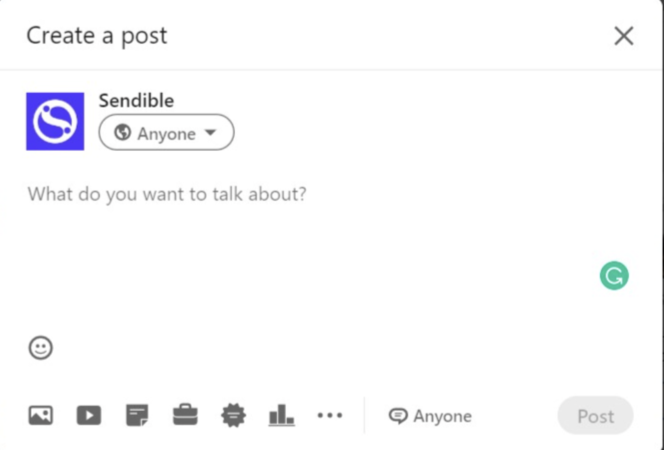
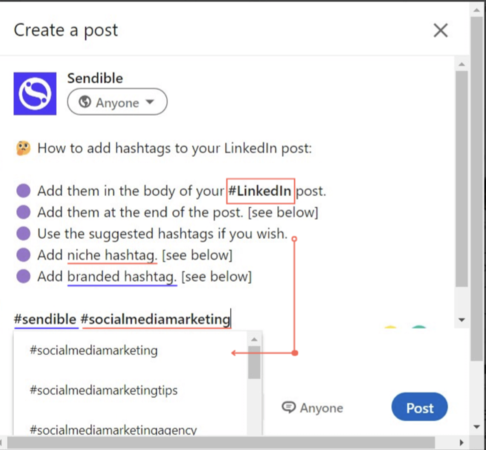
Add hashtag – using the # symbol – in the body of your post or at the end of the message:
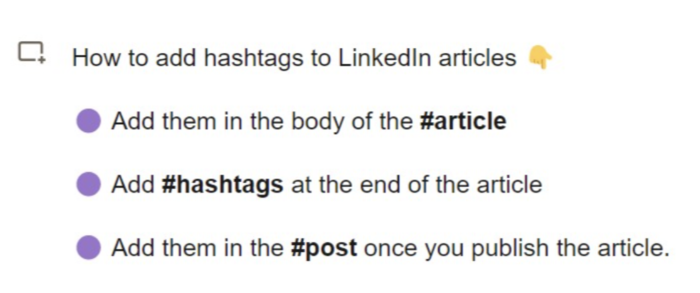
How to add hashtags to your LinkedIn articles
From the homepage, click ‘Write article’ under the status update field. You can include hashtags in the body or at the end of your article, like the post update above.
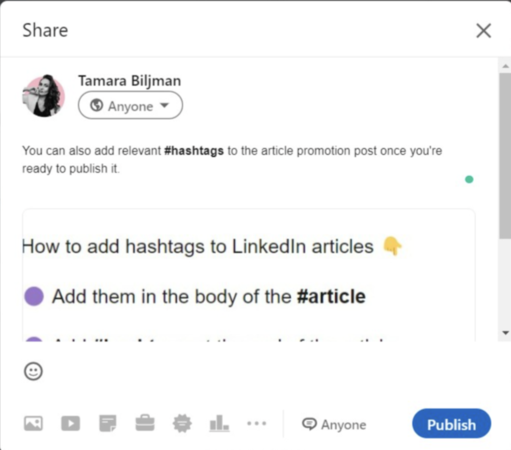
When you’ve finished writing your article, click ‘Publish’ in the top right corner. You'll now be presented with the Compose Box where you can add more relevant hashtags to better promote your article.
How to add hashtags to your LinkedIn comments
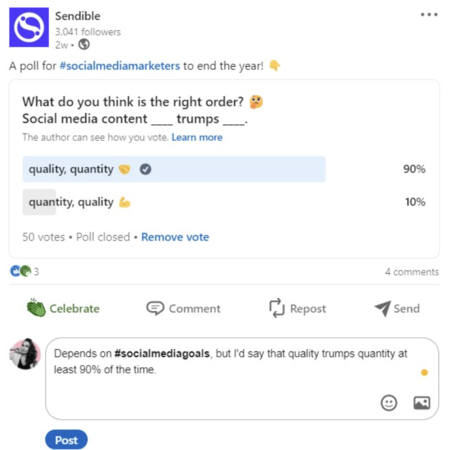
You can also add hashtags when you comment on a post or an article. This is an excellent community management tactic that will help reinforce the searchability of your client's post:
How to find new hashtags on LinkedIn
LinkedIn lets you find and follow hashtags on the topics you’re interested in.
Start by entering the topic you’d like to find in the Search bar at the top of the page. For example, when you type #socialmedia you get a list of social media-related hashtags:
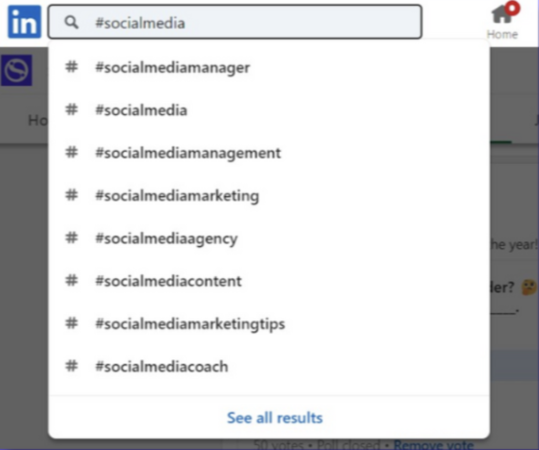
Select a hashtag from the list of suggestions – e.g. #socialmediamarketing – to see content related to the hashtag topic in your feed.
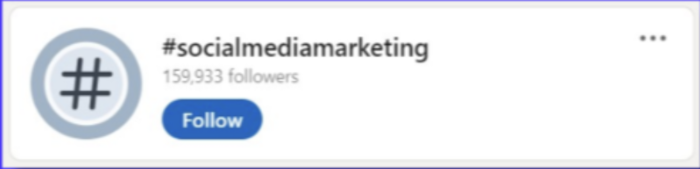
Click the ‘Follow’ button at the top of the page to add the hashtag topic to your list:
How to manage the hashtags you follow
You can manage the hashtags you follow from your LinkedIn homepage. On the bottom left-hand side is a section where you will find your 'Recent' searches and activity, 'Groups' and ‘Followed Hashtags’:
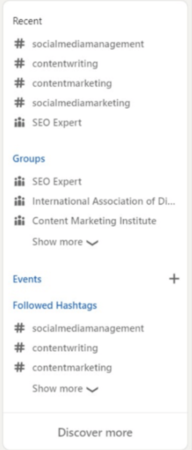
In the ‘Groups’ and ‘Followed’ sections, LinkedIn displays up to three results with options to see more:
- Click ‘Show more’ to expand the list and display more of the groups or hashtags you’re following.
- Click ‘Followed Hashtags’ to show the full list of hashtags you’re currently following (here you can unfollow them or see recent posts using said hashtags).
- At the bottom of this menu, click on the ‘Discover more’ link to reveal more hashtags that might be of interest.
- Click the ‘+ Follow’ link to start following a new hashtag from the list.
The most effective LinkedIn hashtags and how to choose the right ones in 2026
Hashtags on LinkedIn continue to be adopted in 2026, with many having millions of followers. The most popular hashtags on LinkedIn usually consist of one word and are exceptionally broad, making them applicable to many businesses and individuals.
Measuring the effectiveness of hashtags isn’t as easy as it once was, as Hootsuite also confirms. However, we know that they still work, and the general rule is to include 3-5 per post, use Capital Letters For Every Word within your hashtag, and put them at the bottom of your posts. Ideally, mix high-volume hashtags with more niche ones, to engage your audience more effectively.
One reason for that is LinkedIn’s algorithm tends to promote content from followed hashtags over generic feed content.
We have curated a list of 30 trending LinkedIn hashtags that are both relevant to marketers and high in follower count (data correct as of March 2025):
- #innovation (38,229,552 followers)
- #management (35,406,392 followers)
- #digitalmarketing (26,959,403 followers)
- #technology (26,032,188 followers)
- #creativity (24,795,349 followers)
- #futurism (23,098,878 followers)
- #entrepreneurship (22,351,689 followers)
- #startups (20,904,587 followers)
- #marketing (20,078,939 followers)
- #socialmedia (19,389,899 followers)
- #socialnetworking (18,725,442 followers)
- #branding (17,747,722 followers)
- #motivation (15,533,712 followers)
- #personaldevelopment (14,441,927 followers)
- #jobinterviews (14,088,311 followers)
- #sustainability (13,109,182 followers)
- #personalbranding (10,295,515 followers)
- #analytics (6,385,487 followers)
- #hiring (3,338,052 followers)
- #leadership (3,284,427 followers)
- #mentalhealth (1,800,274 followers)
- #contentmarketing (655,418 followers)
- #cybersecurity (601,798 followers)
- #digitaltransformation (440,341 followers)
- #advertising (218,880 followers)
- #socialmediamarketing (164,774 followers)
- #futureofwork (124,162 followers)
- #remotework (123,612 followers)
- #womenintech (108,903 followers)
- #marketingstrategy (87,174 followers)

Make the most of LinkedIn hashtags with our LinkedIn scheduling tool.
However, before you rush off to add any of these hashtags to your posts, remember that with such a high volume of followers and posts trickling in, your posts may go unnoticed by new audiences, and that would defeat the purpose of using hashtags altogether!
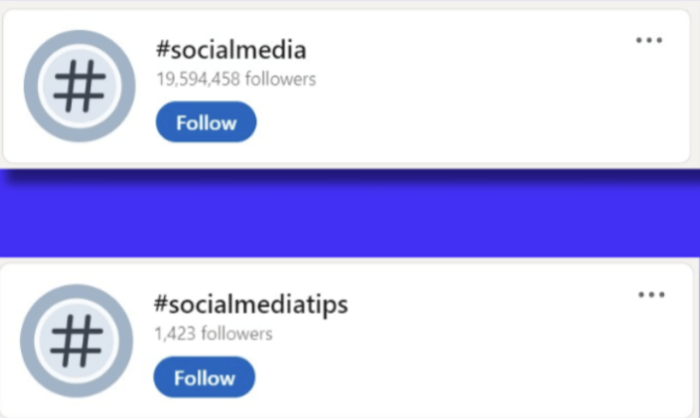
Once you choose a hashtag, don't stop there, and do an additional check for similar hashtags. LinkedIn hashtags and their followers vary a lot when it comes to variations, even when they have a similar meaning. For example:
- #socialmedia -19,594,458 followers
- #socialmediamanager -1,423 followers
The same goes for hashtags in other spaces:
- #entrepreneurship -22,594,575 followers
- #entrepreneur - 544,455 followers
Finally, just because a hashtag doesn't have a lot of followers yet, it doesn't mean it won't grow in the future. For example, the hashtag#entrepreneur gained 10x more followers between 2019 and 2021!
So if you find a hashtag that makes sense in a specific niche, you have the chance to become an early adopter.
85 industry LinkedIn hashtags and additional tips to boost performance
Below are 85 hashtags to consider for different verticals. For more specialised needs, here are a few niche-specific hashtags to jump-start your research:
- #RemoteWork
- #PersonalBranding
- #AI
- #Finance
- #Engineering
- #Programming
Consider mixing these with broader industry terms listed below.
- Real estate
- Social media and digital marketing agencies
- Legal
- Fashion
- SaaS
- Hospitality
- Beauty
- Fitness
- Healthcare
- E-commerce
Real estate
- #realestate
- #multifamilyrealestate
- #propertymarket
- #property
- #realestateagent
- #realestateconsultant
- #housing
- #commercialrealestate
- #residentialrealestate
Social media and digital marketing agencies
- #digitalmarketingagency
- #digitalmarketing
- #digitalmarketingtips
- #socialmediamanagement
- #socialmediamarketingtips
- #socialmediatips
- #socialmediatrends
- #datadriven
- #communitymanager
- #videomarketing
Legal
- #lawfirm
- #lawyers
- #legal
- #legaltips
- #law
- #lawyerlife
- #legalmarketing
- #legalmatters
Fashion
- #fashionstyle
- #fashionindustry
- #fashionbusiness
- #retailnews
- #fashionretail
- #customerexperience
- #sustainablefashion
- #recycledmaterials
SaaS
- #b2b
- #saasmarketing
- #saas
- #softwaredevelopment
- #newproductdevelopment
- #newfeature
- #growthhacking
- #growthmindset
- #cloud
Hospitality
- #foodandbeverage
- #foodanddrink
- #foodie
- #restaurant
- #restaurantowners
- #italiancuisine
- #recipes
- #foodingredients
Beauty
- #beautybusiness
- #beautyindustry
- #personalcare
- #beautynews
- #skincare
- #cleanbeauty
- #beautytrends
- #cosmeticanatural
- #hairstyle
- #hairstylist
- #beautybrands
Fitness
- #fitness
- #training
- #crossfit
- #gymlife
- #nutrition
- #workoutmotivation
- #fitnessequipment
- #fitlife
- #moveyourbody
Healthcare
- #healthawareness
- #healthcare
- #healthcaredata
- #mentalhealth
- #mentalhealthawareness
- #dentistry
- #cosmeticdentistry
E-commerce
- #ecommerce
- #ecommercestore
- #onlineshopping
- #onlineshop
- #onlinesale
- #onlinestore
LinkedIn hashtag best practices: 10 non-negotiable tips for social media managers
Now you know how to manage your hashtags on LinkedIn. Follow the 10 tips below to make the most of every post you publish.
#1 - Make sure your hashtags are visible
Hashtags won't deliver their full potential if your LinkedIn profile is set to private mode. Check your profile settings to make sure it’s public to everyone, or else your content (including hashtags) won’t get discovered.
#2 - Only use relevant hashtags
Just because a hashtag is popular, doesn't mean that you should use it. For example, if your brand is promoting financial services on LinkedIn, then using the #fitness hashtag as part of your posts isn't going to attract the right clientele. Keep hashtags relevant to those you're trying to reach.

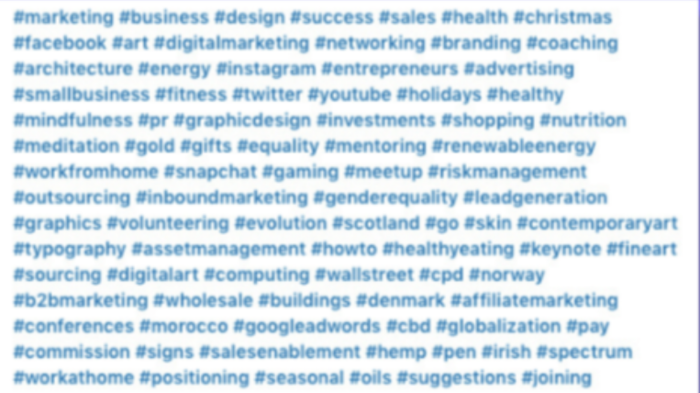
#3 - Don’t use too many hashtags
There’s no limit to how many hashtags you can add to your content. But if you use too many your post will look spammy. LinkedIn best practice suggests that three to five hashtags are plenty.
Cross-posting Instagram content with multiple hashtags often results in posts that appear unprofessional on LinkedIn's more business-focused platform.
#4 - Format your hashtags
LinkedIn defaults to lowercase when it displays hashtags; e.g. #socialmediamarketing. But it’s considered a good practice to use capitals at the start of each word, so it’s easier for people to decipher; e.g. #SocialMediaMarketing.
Note: Abbreviated acronym hashtags are not standard on LinkedIn. For example, on Twitter, the common acronym for #SocialMediaMarketing is #SMM, but LinkedIn prefers the full version.
#5 - Combine hashtags with your message
It’s always best to add at least one sentence to your post rather than using hashtags exclusively. Even when you post an image or video, add a short sentence along with your hashtags.
A splattering of hashtags with no context looks lazy and spammy. And LinkedIn’s algorithm stops irrelevant, low-quality, and spammy content from reaching a user’s feed.
#6 - Place hashtags sensibly
You can place hashtags in your message or at the end, but don’t hashtag every word. As Nick Diakanastasis commented:
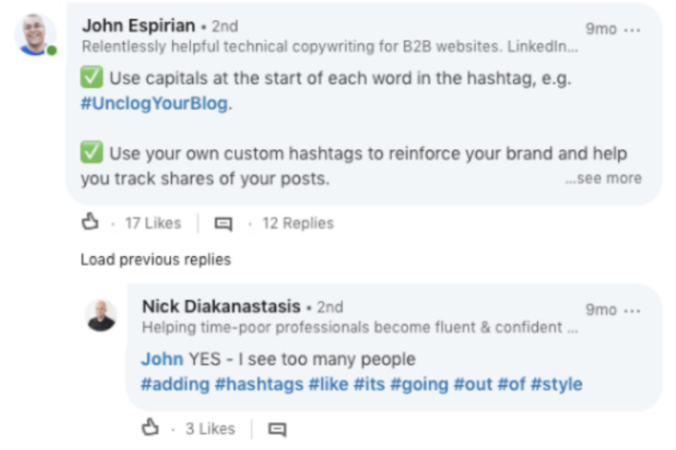
Write your message first, and then consider converting a word into a hashtag or adding a hashtag at the end.
Don’t tag words that aren’t important! Remember to use a hashtag to categorise your post.
#7 - Create your own LinkedIn hashtags
Creating a custom hashtag is an excellent way to build your brand across all social platforms, and it makes it easy for followers to identify and connect with you. Rebecca Whitlocke commented:
But there’s another advantage, too. Custom hashtags help you track shares of your LinkedIn posts. As John Espirian explains:
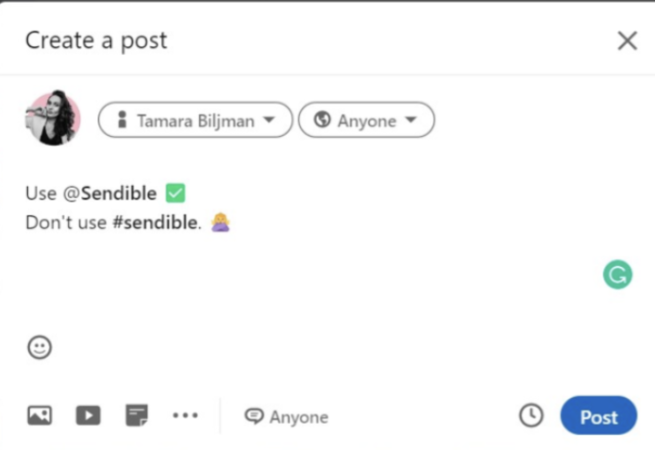
#8 - Don’t use hashtags for mentions
If you want to reference an individual or a company, then use the @mention functionality rather than a hashtag:
#9 - Test your hashtags
Avoid the scatter-gun approach of adding random hashtags to posts without a strategy. Instead, take a methodical approach to hashtag testing.
Instead, record what hashtags you’ve used on each post and see which ones bring the most engagement.
The best way to do this is to label your social media content pillars and appropriate hashtags with Sendible's Campaigns. This will give you an instant overview of your topic clusters' performance.

#10 - Always check your spelling
Multi-word hashtags can be overlooked in the final proofread for a post, but it's important to make sure you're conveying the correct message. Always double-check spelling to avoid embarrassment, confusion or missing your intended audience.
Wrapping up
Hashtags are alive and kicking on LinkedIn.
Use hashtags to make it easier for other users to discover your content and help you find and connect with other users who share common interests.
Add relevant hashtags to your content as you write posts and add comments, (or use the LinkedIn suggestions if you’re unsure), to make the most of every post you publish for your brand or your clients.
Pro Tip: Make use of a social media content calendar template to reduce LinkedIn scheduling workloads.

Try Sendible free with 14-day free trial.
Leverage Sendible’s extensive integrations to create, schedule, publish, and engage with your posts seamlessly.

Text copied!