
A social media dashboard is one of the most powerful tools for managing social media workflows, scheduling posts across multiple accounts, and making data-driven decisions.
- A social media dashboard centralises scheduling, engagement, analytics, and reporting into one platform. Saving social media managers time and eliminating the need to switch between multiple accounts.
- Key features include real-time performance tracking, automated content scheduling, an AI assistant, and a unified inbox help teams stay consistent, respond faster, and make smarter, data-driven decisions.
- From proving ROI to enabling seamless team collaboration, the right dashboard transforms how businesses and agencies manage social media at scale.
New: Updated 2026 data
- Social Commerce: Before the end of 2026, “TikTok is projected to account for 24.1% of US social commerce." (Goat Agency)
- User Behaviour: "5.66 billion active social identities globally as of late 2025, with users jumping between 6.75 platforms monthly." (DataReportal)
- AI Search: Reference how dashboards now need to track "Answer Engine" visibility as platforms like Perplexity become discovery channels.
What is a social media dashboard, and how does it work?
A social media dashboard is a centralised platform that enables businesses and marketers to manage, track, and optimise their social media activity from a single app.
Instead of switching between multiple accounts, you can schedule posts, monitor engagement, and analyse performance in one place. For agency management, this makes it a lot easier to juggle dozens or hundreds of brands with a lean team.
What can you do with a social media dashboard?
A social media dashboard provides real-time insights and control over key social media activities, including:
- Performance tracking → Measure post reach, engagement, and overall campaign success.
- Audience engagement → Respond to messages, comments, and mentions across platforms.
- Campaign monitoring → View progress, track KPIs, and adjust strategies on the go.
With a dashboard, social media managers save time, maintain consistency, and demonstrate the impact of their work more effectively.

How does a social media dashboard simplify workflow?
Not all social media management tool dashboards are created equal. The best tool for your business depends on your specific needs:
- All-in-one management tools offer advanced automation, analytics, and integrations, but often come at a higher price.
- Streamlined dashboards focus on essential features such as scheduling, analytics, and team collaboration, providing a better balance of cost and functionality.
For example, Sendible’s social media dashboard gives marketers:
- A full overview of all social media accounts in one place.
- Integrated reporting tools to track performance and engagement.
- A centralised content calendar to plan, schedule, and automate posts.
Instead of logging into multiple accounts and manually tracking data, Sendible consolidates campaign performance, audience interactions, and social media reporting into one easy-to-use dashboard.
Why do businesses need a social media dashboard?
Managing multiple social media accounts efficiently requires more than just logging in and posting updates. A social media dashboard centralises everything—scheduling, engagement, analytics, and reporting—allowing businesses to save time, improve performance, and make data-driven decisions.
Here’s how a social media dashboard can streamline your workflow and enhance your social media strategy.
1. Make data-driven decisions with real-time insights
A social media dashboard provides instant access to key metrics, helping businesses track performance and adjust strategies on the fly. Instead of waiting for reports or manually pulling data, you can monitor:
- Engagement rates, follower growth, and top-performing content to assess content performance.
- Impressions and click-through rates to refine ad and organic strategies.
- Audience behaviour to understand when they're most active.
2. Save time and boost efficiency with automation
Social media dashboards automate repetitive tasks, freeing up time for strategic work. With pre-scheduled content and automated workflows, teams can:
- Plan and schedule posts in advance across multiple platforms.
- Automate evergreen content recycling to keep high-performing posts in circulation.
- Generate monthly reports instantly instead of manually compiling data.
3. Gain deeper insights with in-depth performance analytics
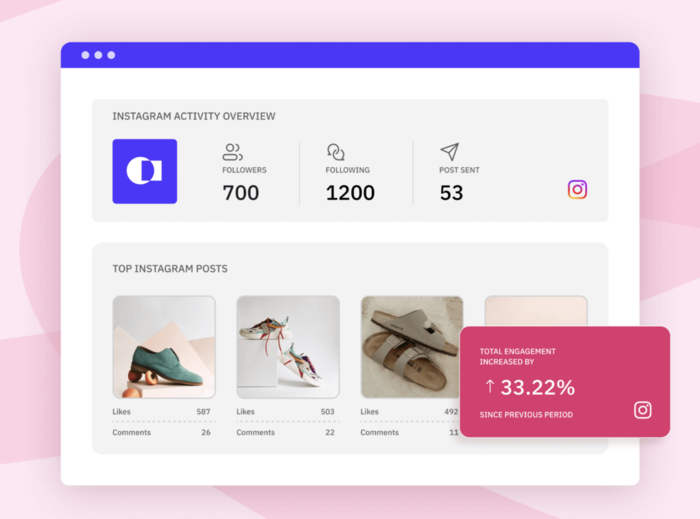
A data-driven social media strategy requires more than just basic engagement metrics. Social media dashboards provide:
- Custom reports with platform-specific insights to track campaign success.
- Audience behaviour analysis to refine targeting and messaging.
4. Maintain brand consistency across all platforms
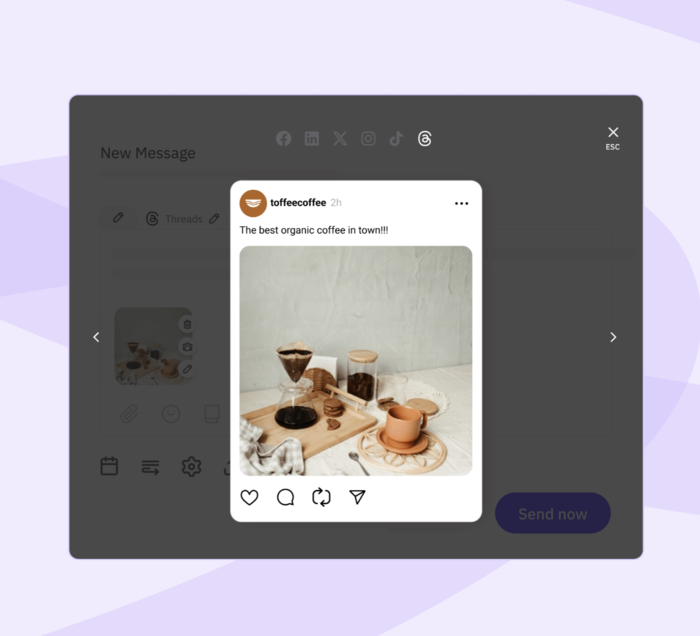
A social media dashboard ensures your messaging, visuals, and tone stay aligned across different platforms by offering:
- Content calendars and approval workflows to keep posts on-brand.
- Preview tools to check content before publishing.
- Template libraries for consistent post formatting.
5. Improve audience engagement and response times
With a unified inbox, businesses can monitor and respond to customer interactions in real time. A social media dashboard allows you to:
- Track all comments, mentions, and messages across platforms in one place.
- Prioritise urgent inquiries to improve customer service response times.
- Engage faster with audience feedback to build stronger relationships.
6. Enable seamless collaboration for teams
For agencies, large teams, or multi-location businesses, a social media dashboard improves workflow efficiency with:
- Shared dashboards for visibility across teams.
- Approval workflows and assigned roles to streamline content creation.
- Centralised asset libraries for easy content sharing.
7. How a social media dashboard improves your ROI
CROs and CFOs want to see revenue from every marketing and sales activity. Social media is a crucial area to track. Proving social media ROI is easier with a social media dashboard. With this, you can show:
- How follower metrics convert to traffic
- Which campaigns, posts, or platforms are driving the most traffic
- Whether social media ads or organic is driving the most traffic
- Where revenue is flowing from out of your campaigns, posts, and platforms (breaking down organic vs. advertising)
A dashboard means you can do all of that:
- Campaign tracking to measure conversions, leads, and brand awareness.
- Custom reporting for stakeholders and clients to highlight social media’s business impact.
- Attribution insights to see which posts drive sales or engagement.
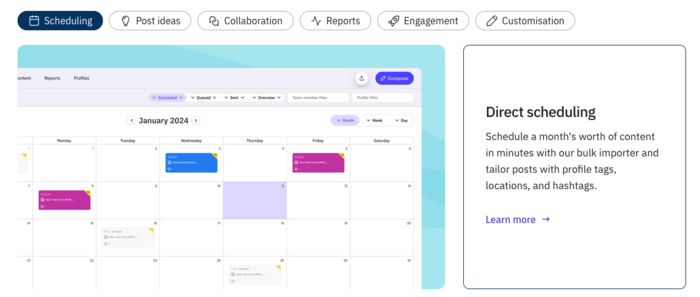
Key features of a social media dashboard
While we think of a social media dashboard as a single tool for managing your accounts and clients, different service providers offer unique setups.
The importance of the individual features will depend on your business's goals and priorities. Below, we break down Sendible’s leading platform, discussing its core features and how to use them to take your social media management to the next level.
Manage multiple channels from one place
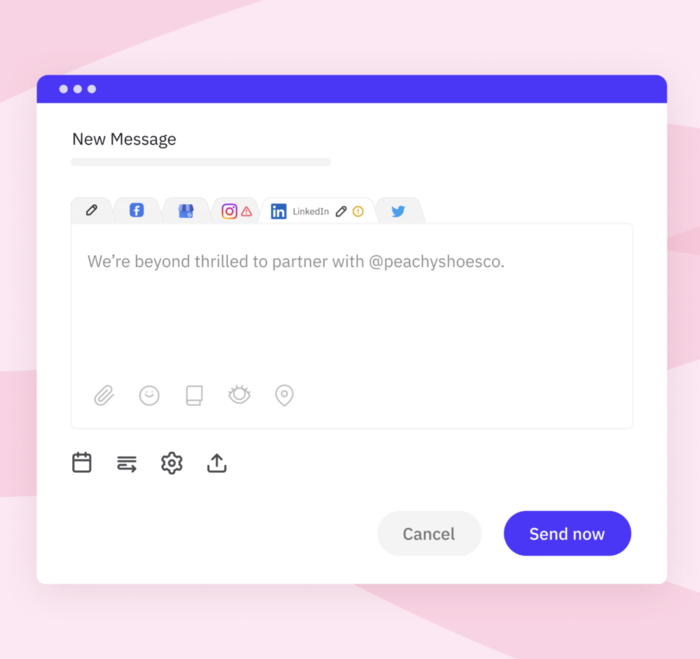
Sendible’s social media dashboard lets you oversee and manage your social media accounts from a single platform. All standard social media tasks can be consolidated into our intuitive, easy-to-navigate dashboard, eliminating the need to switch between platforms, saving time and reducing complexity.
This feature is convenient for managing a single brand or multiple clients. Some standout features for juggling multiple channels include:
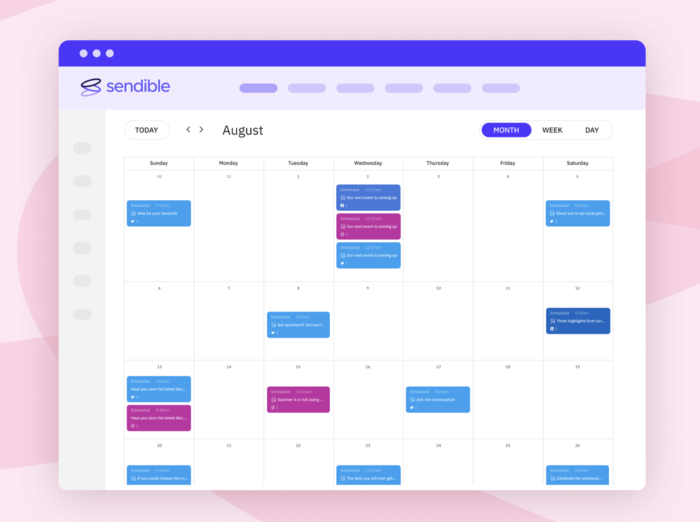
- Cross-platform posting: Schedule and publish content for various social networks simultaneously. Access posted or scheduled content through an interactive calendar.
- Priority inbox: View and respond to messages, comments, and mentions from all channels in one place, using Sendible’s Priority Inbox to improve engagement and response times.
- Manage permissions: Not every user needs to access all functionality. With our custom user permission groups, you can decide who gets access to what.
Sendible is a valuable tool for marketers and social media managers. The dashboard's centralisation makes it convenient and straightforward to manage complex, multi-channel campaigns.

Manage high volumes of content without switching tabs
One of Sendible’s key features for social media managers and agencies is its ability to handle high volumes of content from one place. This doesn’t just mean publishing. With Sendible, you can plan, design, create, schedule, and publish your content across different social networks without constantly switching apps.
Sendible integrates with Google Drive, Dropbox, Canva, Pexels, Giphy, and other popular tools. Even if you require design for your content, you can do it through Sendible. The shared content libraries mean you can store and reuse visual assets and templates.
Let’s expand on some of the specifics.
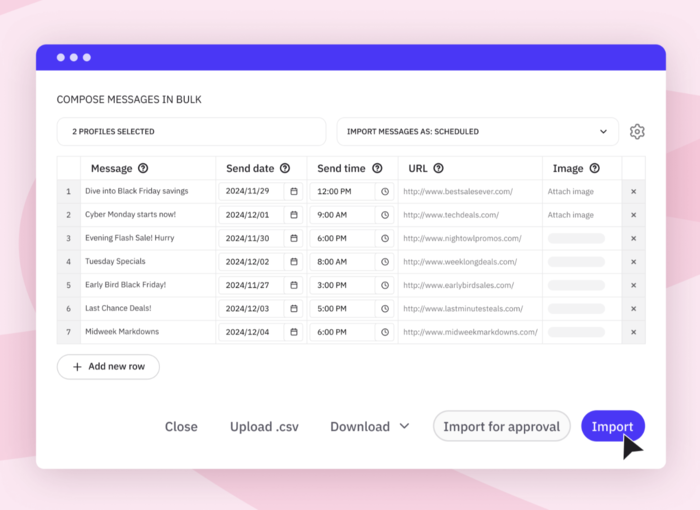
- Bulk scheduling: Upload and schedule content for multiple posts on several platforms at once, using CSV imports or the Sendible calendar. This makes handling heavy campaigns less daunting.
- Post previews: With post previews for all content, you can view how posts will appear on each platform before publishing. Previews can be accessed through the calendar and edited if necessary. This is a great way to spot errors or adjust the structure of your posts.
- Colour-coding: Sendible offers a simple but effective feature of colour-coding specific campaigns or topics, making it easy to find and monitor a variety of projects simultaneously.
Track and monitor campaigns
It’s impossible to nail all posts. With Sendible, you can turn content that didn’t hit the mark into valuable lessons. Our comprehensive tracking tools let you monitor your campaigns' performance in real time.
Even a quick look at the dashboard can give you insights into what’s working, what needs improvement, and how your audience is reacting. Here are some more details on the tracking and monitoring features.
- Engagement analysis: Sendible's engagement reports give you an overview of engagement and your audience's behavior in just one click.
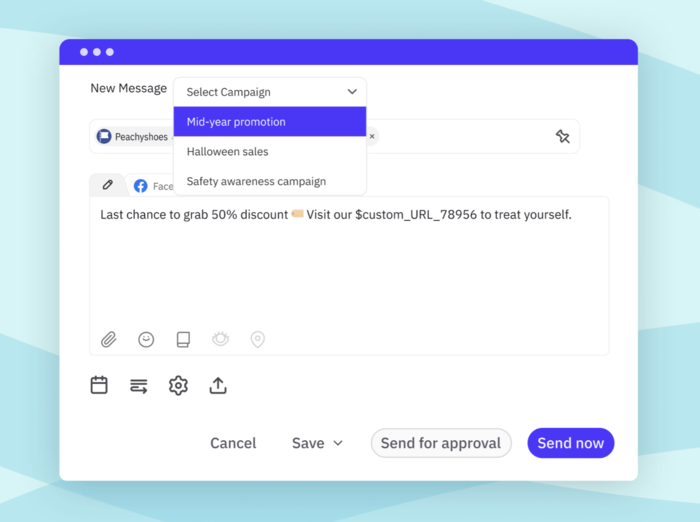
Campaign-level monitoring: Sendible allows you to tag campaigns. This means you can access and monitor multiple posts aligned with that specific campaign, giving you a broader view of what’s happening and simplifying quick analysis.
- ROI measurement: With Sendible, you can easily UTM your links and track them through integrated Google Analytics to get a better grasp of your social media ROI.
Automate evergreen content
Sendible’s dashboard lets you schedule content in advance. Another useful feature is automated content distribution.
Evergreen posts, such as branded or seasonal content, may be recycled to reappear at optimal intervals. You don’t have to waste time repeatedly posting the same thing. Rather, you can focus on other important tasks, knowing that your evergreen content is reaching your audience at the right times.
Other useful features you can consistently rely on include:
- Smart queues: Schedule content in order, automating posting sequences for each campaign to ensure no large gaps.
- Custom repeat settings: Control how often evergreen posts are shared with options to tailor reposting times and frequencies based on the platform and audience.

Automating workflows with AI-powered insights
Sendible continually updates its service catalogue with new features, such as artificial intelligence. AI Assist is an AI-driven feature that helps you work smarter. Its main uses are writing copy and generating captions for posts, but it can also suggest content.
Again, this alleviates some of the heavy-lifting and time-consuming tasks that burden social media managers.
You can also use this feature to automate workflows. Cut the amount of time you spend doing essential but non-creative work, and focus on creating posts that your audience loves!
In-depth performance analytics
Sendible offers advanced analytics that give you a comprehensive view of social media performance. These differ from the real-time, live data that is also accessible through the dashboard.
In-depth analytics offer a longer-term look at the numbers so you can better understand audience behaviour, measure campaign performance over time, and refine your strategy for more desirable results.
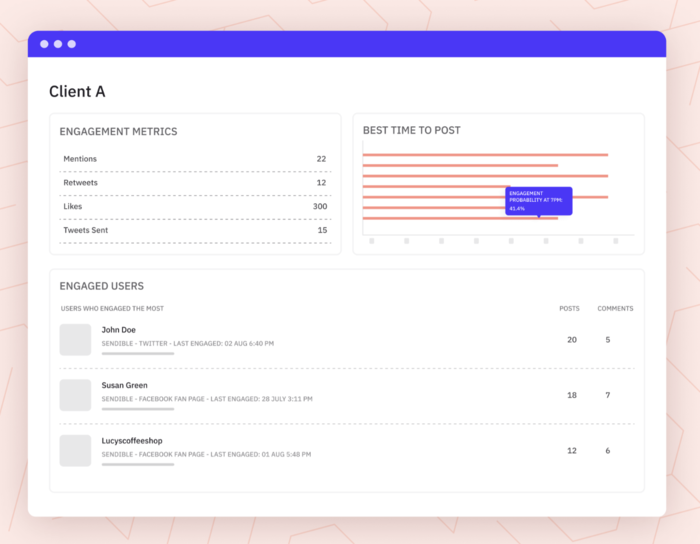

- Customisable reports: Create tailored, white-label reports for clients and stakeholders. These reports can be automated, containing the most important metrics for the individual.
- Trend analysis: In-depth analysis is the best way to spot long-term trends and determine which types of content resonate most with audiences on each platform.
How can Sendible help?
Social media has never been more demanding.
Staying on top of your content strategy, analysis, and engagement is a full-time job. However, you don’t need to waste time on repetitive and manual tasks.
With tools like Sendible, you can ensure your social media performance is optimised while freeing up time and energy for bigger strategic responsibilities.
We welcome new customers to try out our dashboard for free with a 14-day trial. Our team also offers full demonstrations with video overviews so you know exactly what to expect before you sign up.

Try Sendible free with 14-day free trial.
Leverage Sendible’s extensive integrations to create, schedule, publish, and engage with your posts seamlessly.

Text copied!