Multi-location social media management

Run social for every location, from one central team

Sendible is a social media management platform for businesses that run many locations or brands themselves, such as restaurant groups, clinics, gyms, hotels and retail chains. Give each location or brand its own Workspace, publish to dozens of locations at once, let local managers contribute without losing control, and report on every site. Every plan includes unlimited users, so adding location managers never adds seat fees.

  • 14-day free trial
  • No card required
  • Cancel anytime
Europe · 0 of 10 locations scheduled Compose Profile List · Europe gyms (10) {location} Dynamic Fields fill in each location HQ Draft Send for approval
  1. Write it in SendibleOne post, with a field for each location's details
  2. Approve it in SendibleYour approvers sign off before anything goes live
  3. Schedule everywhereEvery location gets its own version, on every network

Illustrative. Dynamic Fields are available on Elite and Enterprise plans.

Built for teams running social across many locations and brands

Why do multi-location teams rely on Sendible?

Your locations stay yours. What teams rely on us for is the work around them: keeping every location posting, keeping sign-off in place, and getting help from real people when something needs fixing.

Consistent posting across 38 practices

“We have a dental group of 38 practices and scheduling posts for each brand was overwhelming. Using Sendible has allowed us to [have] more consistent scheduling across all practices!”
Dental group with 38 practices
Mid-market, G2 review, April 2024

Sign-off before anything goes live

“We have many satellite locations… with Sendible, we were able to make this a centralized activity. [Our team has] the opportunity to create posts, but we also have final oversight before anything goes live.”
Senior Vice President of Operations
Mid-market business, G2 review, August 2021

Support that shows up

“It is helping manage all our locations social profiles… Lastly, the support is on the spot and consistent.”
Marketing Director
Behavioural health provider, mid-market, G2 review, June 2024

How does Sendible solve multi-location growing pains?


Businesses that run their own locations hit the same six problems as they grow: a small central team stretched across too many pages, a brand that drifts location by location, no time to localise posts, several brands tangled in one account, unanswered comments and messages, and no clear view of which locations are performing. Here's how Sendible handles each one.

The problem
How Sendible solves it
One central team is expected to keep 20, 50 or 200 location pages active, and there's never enough time to post to each one.
Group locations into Profile Lists (up to 50 profiles each) and publish one post to the whole list, or bulk import a CSV and schedule weeks of posts across every location in one go.
Every location's posts start to look and sound different, and the brand slowly drifts.
Keep approved posts, hashtag sets and media in a shared Content Library (Premium and above), and require approval for anyone who posts: per user, per Workspace or per post.
Each location needs posts that feel local, but nobody has time to rewrite the same post for every site.
Write it once. On Elite and Enterprise, Dynamic Fields fill in each location's name, address, phone number, website link or local hashtags automatically.
Multi-brand groups end up with several brands or concepts tangled in one messy account.
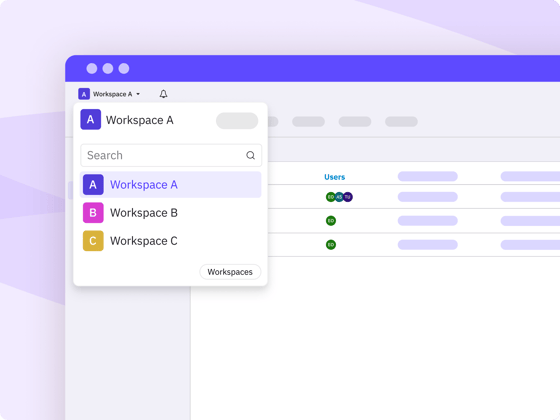
Give each location, region or brand its own Workspace, with its own users, approver and settings, and switch between them under one login.
Comments and messages go unanswered because nobody checks every location's page.
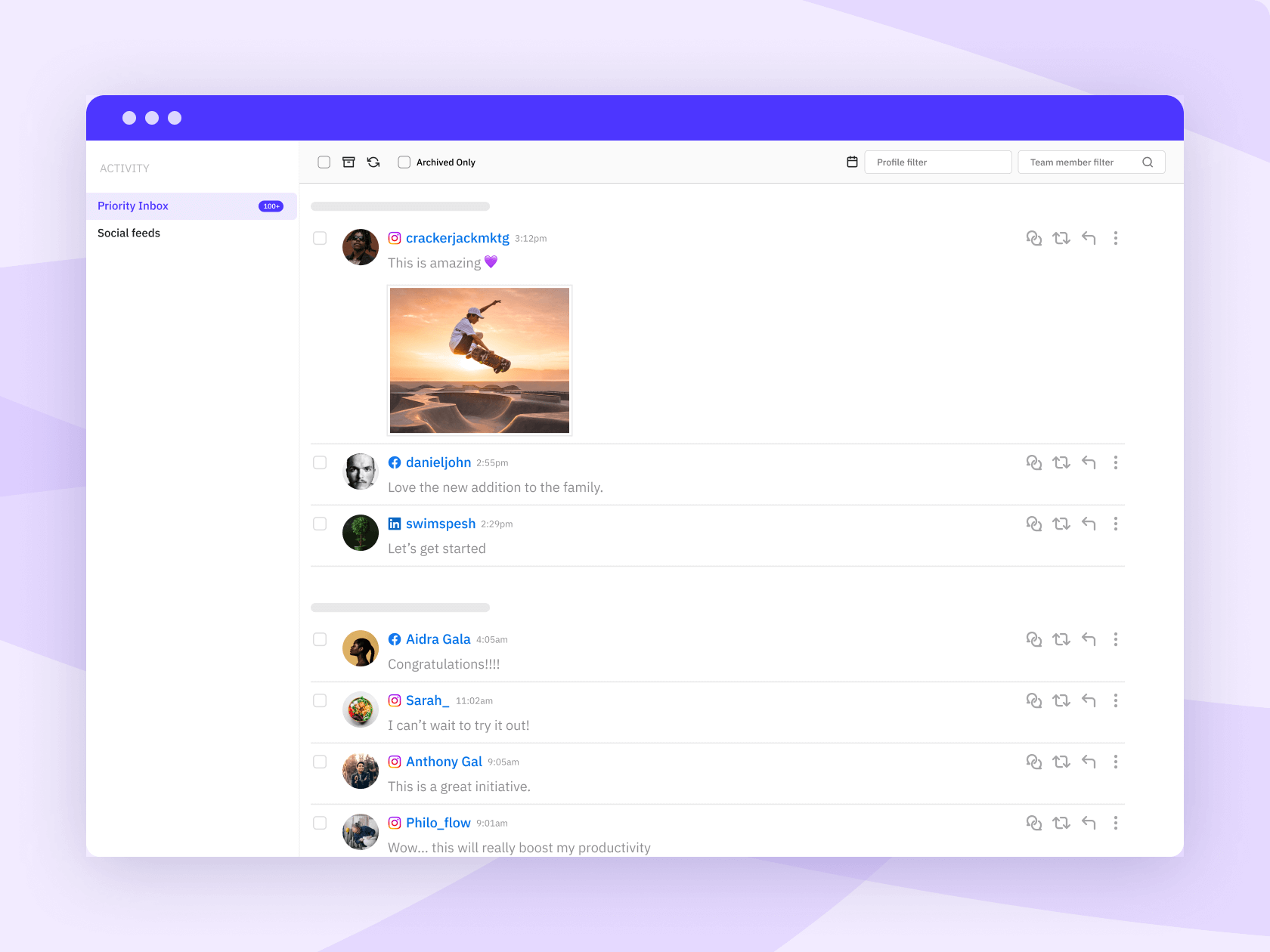
Reply to Facebook and Instagram comments and DMs, LinkedIn Company Page comments and YouTube comments from one dashboard, and assign a message to the right location manager as a task.
Leadership wants to know which locations are performing, and which aren't.
Report on each location, see Facebook, Instagram and LinkedIn Company Page engagement rolled up across the profiles you choose, and email branded reports to managers on a schedule (Premium and above).

How does Sage Restaurant Group keep 14 restaurants on track?

Sage Restaurant Group runs 14 restaurants across the US, each with its own sales and marketing team and 42 social accounts between them. Their Corporate Director of Sales and Marketing uses Sendible to see what every team is posting, give feedback inside the tool, and pull reports for each restaurant and channel for monthly management meetings.

“Sendible helps me as a manager be more efficient in seeing what my teams are doing on social media and allows me to reach out to teams that may be falling short.”

Tara, Corporate Director of Sales & Marketing, Sage Restaurant Group

Tara, Corporate Director of Sales and Marketing at Sage Restaurant Group

How does Sendible support multi-location businesses?


Sendible supports multi-location businesses with four connected tools: Workspaces to give every location or brand its own space, Dynamic Fields to personalise one post for each location (Elite and Enterprise), a shared Content Library of approved posts (Premium and above), and Google Business Profile scheduling for local search.

Give every location or brand its own space, under one login.
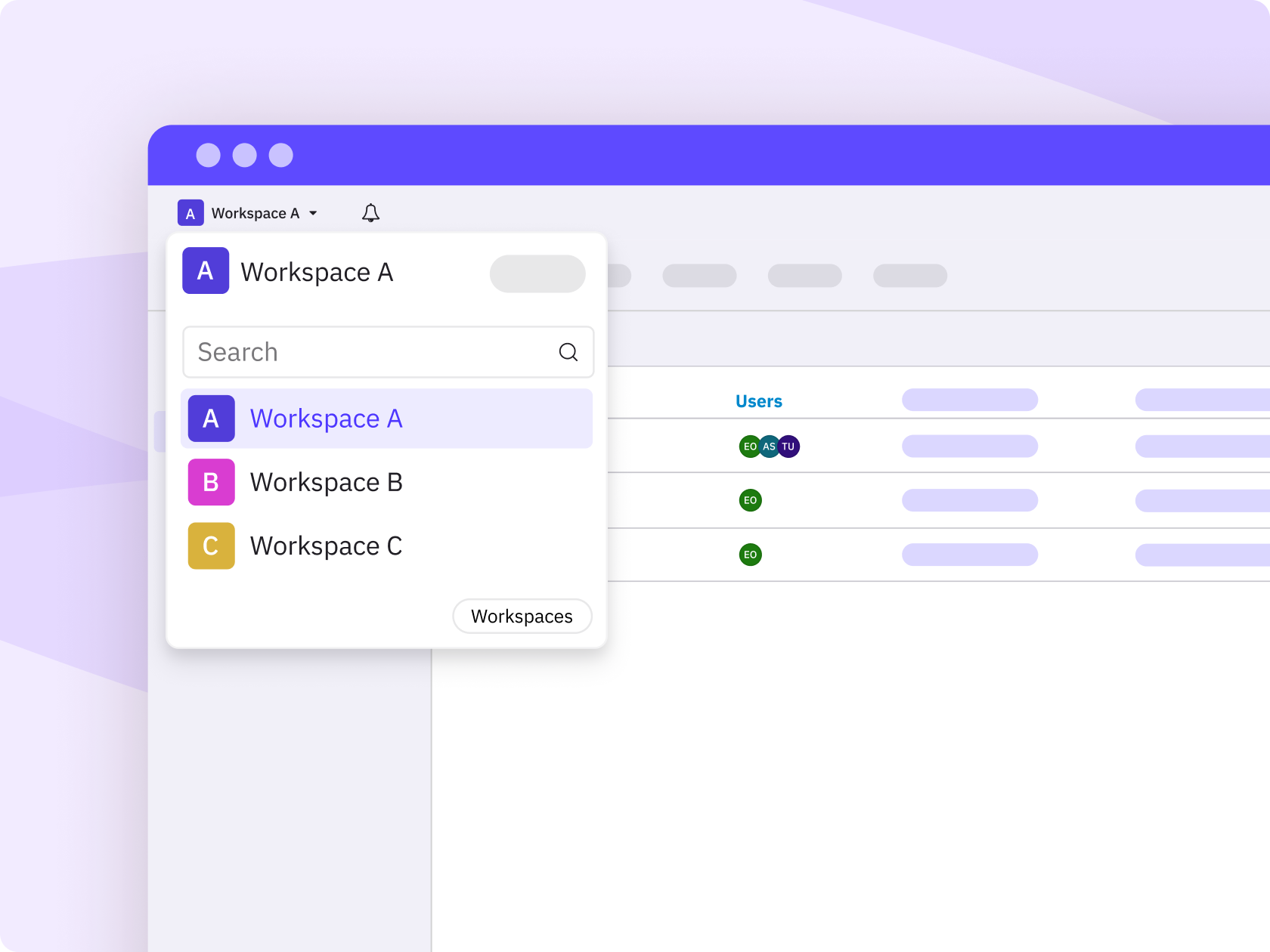
Set up a Workspace for each location, region or brand, whichever matches how you run the business. Each one has its own users, approver, timezone and publishing settings, and you can share a social profile across Workspaces when one regional page covers several sites.
Switching between Workspaces in Sendible
Write one post. Publish it personalised, everywhere.
Build a single post and let Dynamic Fields fill in each location's name, address, phone number, website link or local hashtags. Every location gets a post that reads like it was written just for them, without anyone writing it 50 times. Available on Elite and Enterprise.
custom-content-tags-sales-campaigns-long
Hand every location the posts you've already approved.
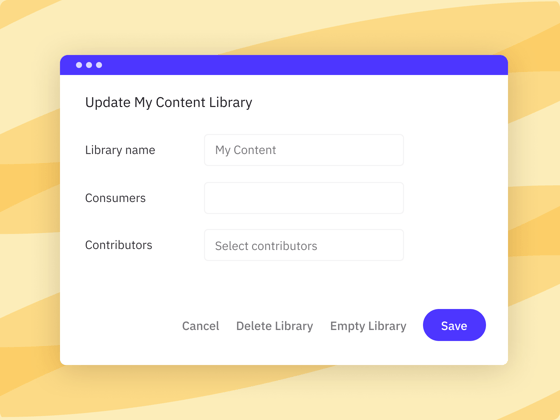
Store approved posts, hashtag sets and media in a shared Content Library, then choose which Workspaces can use it and which can edit it. Location managers start from a brand-safe post instead of a blank box. Available on Premium and above.
Content Library access settings in Sendible
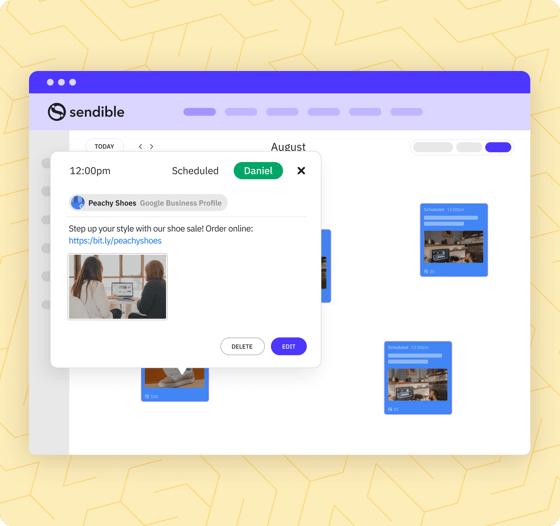
Show up in local search, at every location.
Schedule and publish Google Business Profile updates for every location alongside your social posts, so each one stays current and visible when nearby customers go looking.
GBP-scheduling-long
Switching between Workspaces in Sendible custom-content-tags-sales-campaigns-long Content Library access settings in Sendible GBP-scheduling-long

How do you spend less time on admin and more time on your locations?

Sendible cuts location admin three ways: bulk publishing to dozens of locations at once, approvals that let local managers post without going off-brand, and one place to reply to comments and messages from every location.

bulk-import-feature-plan-short

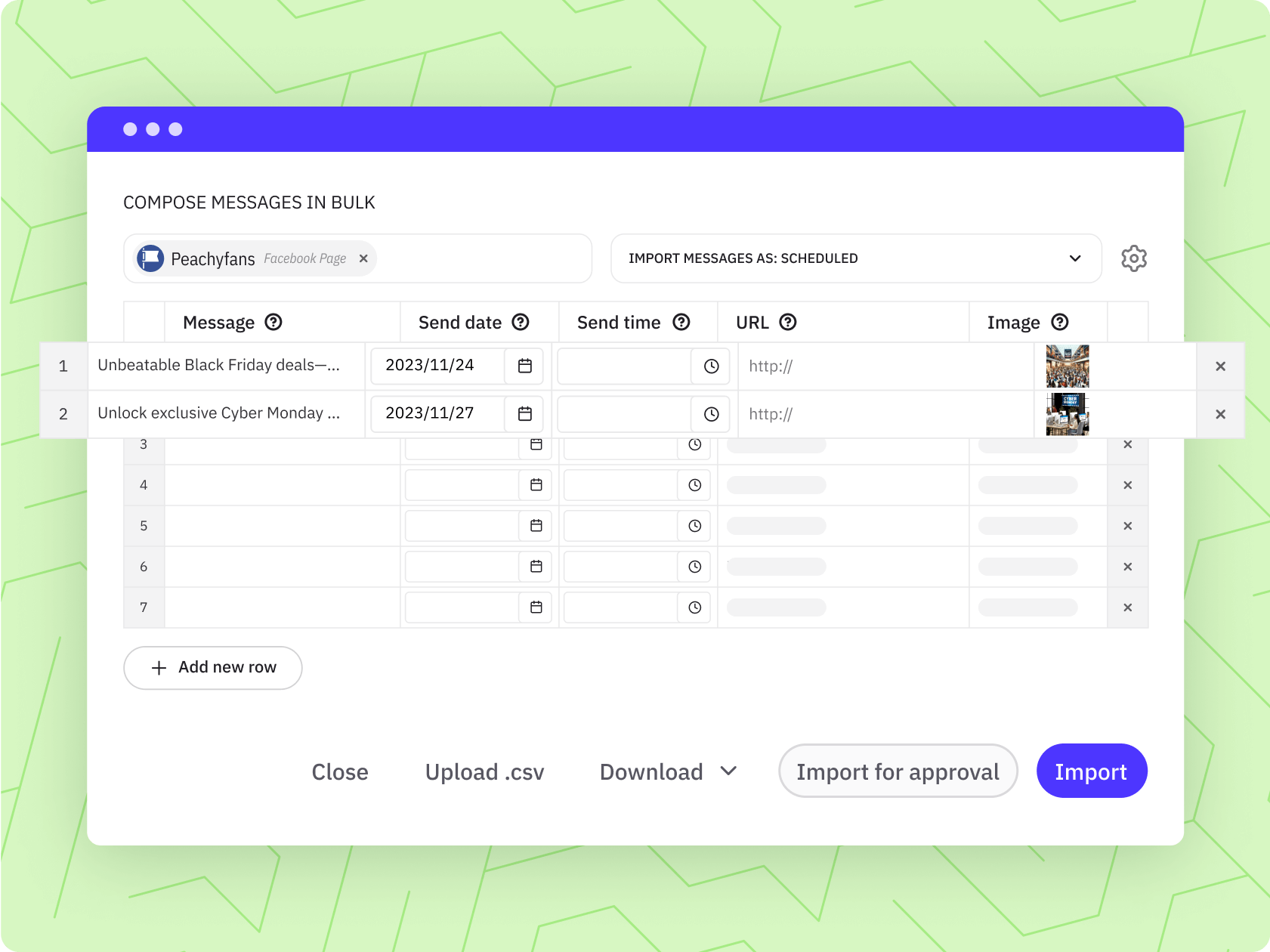
Publish to every location as easily as one.

Group your locations into Profile Lists (up to 50 profiles per list) by region, brand or campaign, then bulk import a CSV of posts to schedule across the whole list in one go. Evergreen Content Queues keep recycling your best posts, so quiet weeks don't mean quiet pages.

Colaboration-post-approval-short

Let location managers post, without losing sign-off.

Every plan includes unlimited users, so each location manager and regional lead can have their own login. Turn on approval for anyone who needs it, and their posts wait for sign-off before going live, with every comment and decision in one place.

priority-inbox-feature-inbox-short

Comments and messages from every location, in one place.

Reply to comments and DMs on Facebook and Instagram, and comments on LinkedIn Company Pages and YouTube, without opening each location's account. Assign a message to the right location manager as a task, and it's off your plate.

How do you roll Sendible out across every location?

Most multi-location teams get set up in five steps. If you'd like a hand mapping your structure, our team can walk you through it on a demo call.

  1. Step 1

    Map your structure

    Decide how to group your locations: a Workspace per location, per region or per brand. There's no single right answer, so pick the one that matches how you run the business.

  2. Step 2

    Connect your profiles

    Add Facebook Pages in bulk, connect each location's Instagram, LinkedIn, Google Business Profile and other accounts, and share a profile across Workspaces where one page covers several sites.

  3. Step 3

    Invite your location managers

    Add every location manager and regional lead, as users are unlimited on every plan. Choose which Workspaces each person can access, and who needs approval before their posts go live.

  4. Step 4

    Load your content

    Fill a Content Library with approved posts, set up Profile Lists, and bulk import a CSV to schedule weeks of posts across every location in one go.

  5. Step 5

    Report on every location

    Track how each location is performing, and send branded reports to location managers and leadership on a schedule.

UNLIMITED USERS

How much can multi-location businesses save with Sendible?

Compare the numbers. Enterprise competitors charge for every person you add. Sendible includes unlimited users on every plan, so bringing on another location manager or regional lead never adds a seat fee.

Start your 14-day free trial
Feature
Sprout Social
Hootsuite
Agorapulse
SocialPilot
Buffer
Sendible
Sprout Social
Hootsuite
Agorapulse
SocialPilot
Buffer
Sendible
Cost for 5 team members on a comparable plan
More information
Five seats on each tool's comparable plan, billed annually (USD): Sprout Social Professional at $299/seat, Hootsuite Professional at $199/seat and Agorapulse Advanced at $149/seat, against Sendible Elite at $254/mo flat, which includes Dynamic Fields and advanced permissions. Prices checked 23 November 2026.
$1,495/mo (billed annually)
$995/mo (billed annually)
$745/mo (billed annually)
$254/mo (Elite, billed annually, flat rate)
Plan choice and flexibility
More information
Avoid forced upgrades just to unlock extra seats or locations. Choose the plan that fits, and add extra Workspaces (each with 6 more social profiles) as you open new locations.
5 plans, all priced per seat
4 plans, all priced per user
5 flat-rate plans (add extra Workspaces à la carte)
Cost to add one more location manager
More information
Most enterprise social media management tools charge per seat. Sendible doesn't charge for people, only for Workspaces and social profiles.
+$299/mo (Professional, billed annually)
+$199/mo (Professional, billed annually)
+$149/mo (Advanced, billed annually)
$0 (unlimited users on every plan)
Sendible
Cost for 5 team members on a comparable plan
$254/mo (Elite, billed annually, flat rate)
Plan choice and flexibility
5 flat-rate plans (add extra Workspaces à la carte)
Cost to add one more location manager
$0 (unlimited users on every plan)

Which plan fits how many locations?

Every plan includes unlimited users, so you choose by Workspaces and social profiles, not by headcount. A Workspace can hold one location, a region or a brand, and you can add extra Workspaces (6 social profiles each) without upgrading. Most multi-location businesses start on one of these three plans.

Premium

$169/mo billed annually, or $199/mo billed monthly (USD)

7 Workspaces, 42 social profiles

For a group with a handful of locations or brands. Includes approvals, a shared Content Library and branded reports emailed on a schedule.


Elite

$254/mo billed annually, or $299/mo billed monthly (USD)

15 Workspaces, 90 social profiles

Everything in Premium, plus Dynamic Fields to personalise one post for every location, and advanced permissions to control what each location manager can see and do.

Enterprise

$638/mo billed annually, or $750/mo billed monthly (USD)

50 Workspaces, 300 social profiles

Everything in Elite, with room for large networks of locations and brands.

Prices in USD. GBP and EUR prices, and every plan's full feature list, are on the pricing page.

How does Sendible handle dozens of locations in practice?

In his independent review, Joe Zeplin sets up Sendible for a business with dozens of locations: connecting profiles, personalising one post per location and scheduling across the whole group, in his own words rather than ours.


What resources are available for multi-location businesses?

Four resources cover the most common next steps: a guide to multi-location social media management, how Workspaces organise locations and brands, Sage Restaurant Group's story of managing 14 restaurants, and our social media management buyer's guide.

multi-location-social-media-management-featured-image-new
Guide

Multi-location social media management: everything you need to know

Switching between Workspaces in Sendible
Feature

Workspaces: one space for every location, region or brand

featured-image-sage
Case study

How Sage Restaurant Group improved collaboration across 14 locations

2026 buyers guide
Guide

Social media management buyer's guide

Multi-location or franchise?

Is this the right page for you?

Franchises and multi-location businesses have a lot in common, but who runs each location changes what you need from a social media tool.

This page is for you if…

  • You own and run every location. A central marketing team plans the content, and location or site managers chip in.
  • You run several brands or concepts. Each one needs its own calendar, profiles and tone, under one login.
  • Your team is small for the number of locations. You need to publish to dozens of profiles at once, not one at a time.
  • Leadership wants numbers for every site. You report on each location as well as the group as a whole.

Not sure how to set it up? Talk to our team

You'll want our franchise page if…

  • Your locations are run by franchisees. Independent owners post for their own location, while head office protects the brand.
  • Brand compliance is your biggest worry. You need approvals and shared content that franchisees can use without going off-brand.

Running a franchise network? See Sendible for franchises

Frequently asked questions

Is Sendible for multi-location businesses or franchises?

Both. This page covers businesses that run their own locations or brands from a central team, such as restaurant groups, clinics, gyms, hotels and retail chains. If your locations are run by franchisees, see Sendible for franchises.

Which industries use Sendible for multi-location social media?

Sendible is built for any business that runs social for many locations or brands, including restaurant groups, retail chains, gyms, hotels, dental and vet groups, real estate and property management firms, car dealerships, and mortgage and loan officer teams. See how it works for hotels, dental groups, vet clinics, real estate, property management, car dealerships and mortgage and loan officers.

Do I need one Workspace per location?

No. A Workspace can hold one location, a region or a whole brand, so you can set it up the way you run the business. Plans include 1 (Core), 3 (Plus), 7 (Premium), 15 (Elite) or 50 (Enterprise) Workspaces, and social profiles are pooled across your plan, so you can spread them across Workspaces however you like. Book a demo and we'll help you map it out.

How much does it cost as we add more locations?

Adding people never adds cost: every plan includes unlimited users. Adding locations can, once you go past your plan's Workspace or social profile limit. When that happens, you can add a Workspace, which brings 6 more social profiles, without a full plan upgrade. See pricing for each plan's limits.

Can I post to all my locations at once?

Yes. Group locations into Profile Lists (up to 50 profiles per list) and publish one post to the whole list, or bulk import a CSV of posts to schedule across a list in one go. On Elite and Enterprise, Dynamic Fields personalise each post with the location's name, address, phone number, website link or local hashtags.

How do location managers post without going off-brand?

You can require approval per user, per Workspace or per post, so nothing goes live until someone signs it off. On Premium and above, a shared Content Library gives location managers approved posts, hashtag sets and media to start from.

Does Sendible work for multi-brand companies?

Yes. Give each brand, sub-brand or concept its own Workspace, with its own profiles, users and settings, and switch between them under one login. On Premium and above, you can share a Content Library across brands, or keep each brand's content separate.

Can I see how each location is performing?

Yes. You can report on individual locations, and the Engagement report rolls up Facebook, Instagram and LinkedIn Company Page results across whichever profiles you choose. On Premium and above, branded reports can be emailed to managers and leadership on a schedule.

Does Sendible help with local search?

Yes. You can schedule Google Business Profile posts for every location alongside your social posts, including call-to-action buttons. Each location needs to be verified on Google first.

How do we keep up with comments and messages across locations?

You can reply to comments and DMs on Facebook and Instagram, and comments on LinkedIn Company Pages and YouTube, from your Sendible dashboard, and assign a message to the right location manager as a task.

Which networks does Sendible support?

Facebook, Instagram, LinkedIn, Google Business Profile, TikTok, YouTube, Threads, Bluesky, X and more. See the full list of supported networks.

Is there a free trial, and do we need to sign a contract?

There's a 14-day free trial with no card required, and no contract, so you can cancel anytime. Try it with a handful of locations before rolling it out everywhere.

Page last updated: 24 November 2026