

First impressions are vital in a professional setting, especially when we're talking about LinkedIn, the most influential professional network platform on the planet.
Professionals, business leaders, salespeople and directors, small businesses, and large brands alike need to post content that engages, encourages conversations, and drives conversions. This means creating high-quality posts, showcasing brand assets, and engaging with your network.
This means making sure you get the basics right, starting with the sizes of images, videos, and other visual content assets.
In this article, we provide a complete LinkedIn post size guide, so you have all the details you need to stand out on the platform.
The best LinkedIn post size is 1200×627px for landscape images, 1080×1080px for square/feed posts, or 1080×1350px for portrait — pick based on where the post will run.
Why does LinkedIn post size matter?
LinkedIn is a B2B (business-to-business) professional networking platform, but it’s still a social media website. You need to remember that when designing your LinkedIn marketing strategy.
That means visuals play a significant role. Although users are on LinkedIn for a different reason from Instagram or TikTok, people still scan, scroll, and consume information in the same way.
Businesses rely on LinkedIn to establish their brand, showcase expertise, and engage with their target audience, also known as Ideal Customer Profiles (ICPs). Businesses and professionals on LinkedIn do this by sharing updates, images, articles, videos, and insights, all of which rely on strong visuals to make an impact.
Alongside the vast global audience, every minute on LinkedIn (as of November 2025):
- 93: People add a new role to their profile
- ~9.5K: Job applications are submitted
- 1.9M+: Feed updates are viewed
- 17K+: Connections are made
- ~155: Hours of learning content is consumed
As a professional platform, LinkedIn is the market-leader, and this is why you need to post engage visual (and written) content as often as you can.
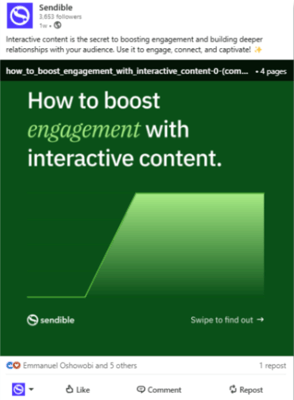
Whether you’re a freelancer or part of a global organisation, LinkedIn post size matters. Here are a few more reasons why.
- Optimised reach: When your content is correctly formatted to LinkedIn’s guidelines, it appears on the feed exactly how it should look. This reduces the chance of key components being cropped out or overlooked. It also means you’ll look professional, and that makes a big difference on LinkedIn.
For example, a header image with the wrong dimensions might cut off an important message or a chunk of your logo. - Visual appeal: Simply put, posts that look good are more likely to catch the attention of viewers. Formatting is a big part of this. Creating a professional, polished piece of content gives your post greater visual appeal, improving its chances of gaining traction.
- Improved engagement: As a networking platform, LinkedIn is a useful platform to generate B2B engagement. Users support one another through likes, comments, and, more importantly, shares. Posts that are carefully designed with the correct dimensions are more likely to garner engagement.
LinkedIn’s algorithm promotes content that drives higher engagement. So, getting the LinkedIn post size right should be a priority. - Branding consistency: Using the correct post sizes helps with branding by making sure key elements, like logos, colours, and text, are always visible. This is crucial for maintaining consistency, which builds familiarity and trust with your network over the long term.
- Better mobile experience: Almost 60% of LinkedIn traffic comes from mobile users. Uploading content in line with the guidelines ensures your posts are optimised for mobile and desktop users. Getting it right the first time helps you avoid time-consuming edits, cropping, and resizing.
Investing in social media management software with built-in image editing is a smart investment. It makes post-optimisation easier and provides access to a range of useful features, including LinkedIn scheduling tools, collaboration tools, and data analytics.
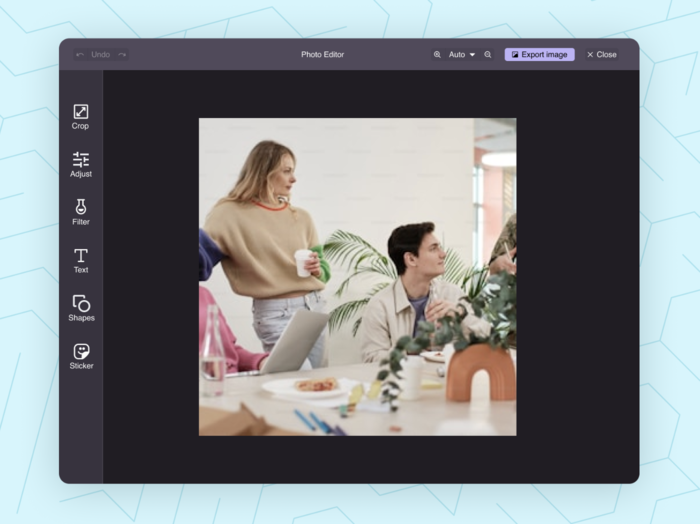
Other than its built-in image editor that enables you to resize and tailor your images, Sendible integrates with one of the most popular image and video editing platforms on the market, Canva.
This means you can create, edit, optimise, schedule, and monitor LinkedIn posts from one place. Plus, you can use its interactive calendar to manage social media content for all major platforms.
The complete LinkedIn post size guide for 2026
Visual content on LinkedIn covers everything from an image posted with an article (linked or uploaded), to carousels, videos, adverts, and documents.
Everyone also has space for a personal profile header image, a bio image, and company pages have space for logos and header images.
Every single one of these needs to be formatted in a different size. Nor can you simply re-post images from other social platforms because they have different size requirements, so it’s important you get the ones you’re using for LinkedIn right.
In this guide, we provide the key specifications of each LinkedIn post type, helping you maximise visual appeal while maintaining a professional look.
Stand Out on LinkedIn: Lessons from the Best Profiles and Company Pages
LinkedIn image dimensions: the optimal feed sizes
- Recommended dimensions (3 size options):
- Landscape: 1200 x 627 pixels (1.91:1 aspect ratio)
- Square/Feed: 1080 x 1080 pixels (1:1 aspect ratio)
- Portrait: 1080 x 1350 pixels (4:5 aspect ratio).
- Resolution: At least 1200 pixels wide for optimal quality
- Maximum file size: 5MB
- Recommended file format: JPG or PNG
When to use LinkedIn images
- Targeted outreach posts for specific audiences
- Personal updates
- Promoting events
- Recruiting candidates
- Driving traffic to your website
Article feature image
All of the above dimensions apply the same to article images. You can post these via personal profiles and company pages.
Size: 1200 x 644 pixels.
LinkedIn video size, specs, and dimensions
- Recommended dimensions:
- 1080 x 1080 pixels (1:1 aspect ratio)
- Or 1920 x 1080 pixels (16:9 aspect ratio)
- Can also upload videos with a 4:5 aspect ratio (better for mobile-first content)
- Resolution: 360p (minimum), 720p (recommended)
- Maximum file size: 200MB
- Video length: 3 seconds to 10 minutes
- Recommended file format: MP4
When to use LinkedIn videos
- Storytelling
- Advertisement videos
- Demonstrating product features
- Product or service demonstrations
- Seminars
- Event coverage
- Sharing insights
LinkedIn carousel size, and document dimensions (Slide Decks & PDFs)
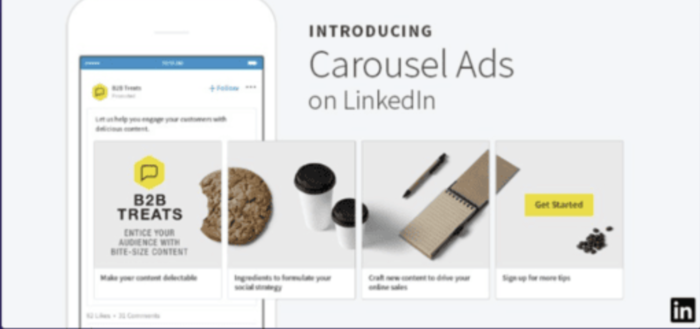
- Recommended dimensions: 1080 x 1080 pixels (1:1 aspect ratio, square) or 1080 x 1350 pixels (4:5 aspect ratio, portrait)
- Resolution: 400 pixels minimum width
- Maximum file size: 10MB per slide
- Recommended file formats: JPG or PNG
When to use LinkedIn carousels
- Displaying multiple offerings as a slideshow
- Sharing tips and insights
- Creating interactive-style posts
- Step-by-step guides and tutorials
- Before-and-afters
- Sharing user-generated content (UGC) or testimonials
- Case studies

LinkedIn post size: Documents
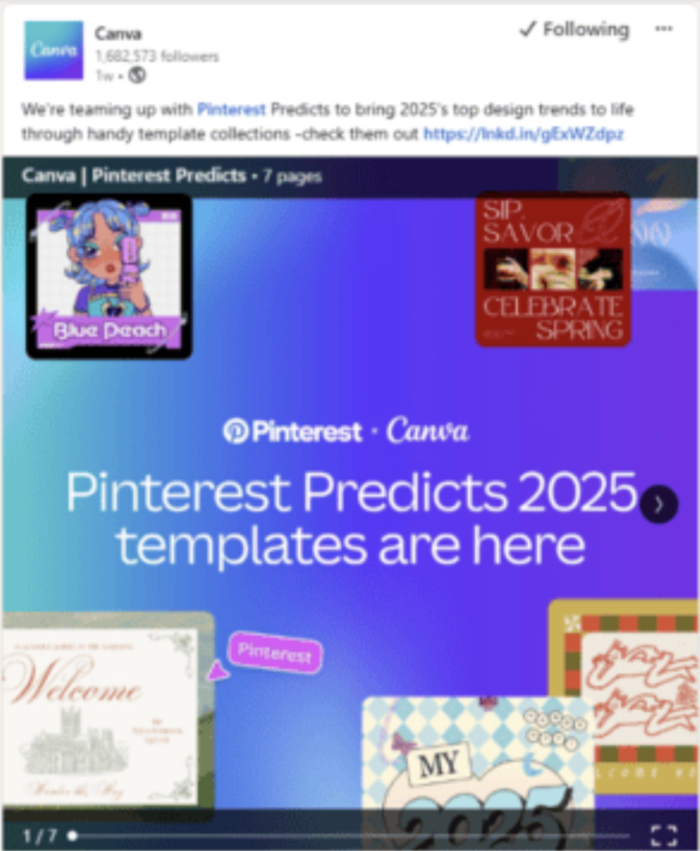
- Recommended dimensions: 8.5 x 11 inches (letter size for PDFs)
- Aspect ratio: Can vary depending on the content layout
- Square documents: 1:1
- Landscape documents: 16:9
- Portrait documents: 4:5
- Maximum file size: 100MB
- Recommended file format: PDF, PPTX, or DOCX
When to use LinkedIn documents
- Product portfolios
- Slideshow presentations
- Slide decks
- Detailed reports
- Whitepapers
- One-pagers
- Guides
- How-tos

LinkedIn paid promotions and sponsored content specs
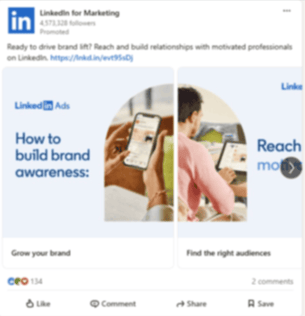
- Recommended dimensions: 1200 x 627 pixels (1.91:1 aspect ratio, landscape)
- Minimum width: 400 pixels
- Maximum file size: 5MB (images), 200MB (videos)
- Video length: 3 seconds to 30 minutes
- Recommended file formats: JPG, PNG (images); MP4, MOV (videos)
When to use LinkedIn documents
- Promoting high-value content (whitepapers, ebooks, webinars, or targeted content for lead generation)
- Targeting specific audiences
- Increasing brand awareness
- Driving website traffic
- Boosting registrations (events, seminars, webinars, etc.)
LinkedIn post size: Profile and company page content
- Recommended dimensions
- Personal profile, bio image: 268 x 268 pixels (minimum), 400 x 400 pixels (recommended), 1:1 aspect ratio
- Cover image: 1584 x 396 pixels (4:1 aspect ratio).
- Maximum file size
- Profile photo: 3MB
- Cover photo: 8MB
- Recommended file formats
- Profile photo: JPG or PNG
- Cover photo: JPG, PNG, or GIF
Top tips for perfecting your LinkedIn visuals
Below are some top tips and best practices, based on the most up-to-date information possible within this ultimate guide:
- Design for the right LinkedIn post size to prevent cropping, stretching, or poor-quality images appearing across desktop and mobile.
- Choose dimensions based on intent: Use 4:5 for mobile-first reach, 1:1 for versatile feed posts, and 1.91:1 for links and sponsored content.
- Keep text within a “safe zone” (centre-aligned and away from edges) to avoid losing essential messaging when LinkedIn auto-crops previews.
- Optimise visual clarity by exporting images at a minimum of 1200px width and uploading high-resolution MP4s for videos.
- Reduce clutter: Use clean compositions, strong contrast, and minimal on-image text so the visual stands out in fast-scrolling feeds.
- Be consistent with branding using the same colours, fonts, logo placement, and style across all post sizes to reinforce recognition. Make sure it’s the same branding as on your website and other social networks.
- Prioritise mobile users (who make up nearly 60% of LinkedIn traffic) by testing every visual in mobile preview before uploading.
- Use templates for efficiency. Create preset Canva or editing tool templates for each LinkedIn post size so your team stays consistent.
- Add captions and subtitles to videos to boost accessibility and improve watch-time, especially for silent autoplay in the feed.
- Test and refine: Monitor which sizes and formats drive higher engagement, then optimise future visuals based on performance trends.
Now, let’s look at how you can use Sendible to format your LinkedIn posts as best as possible.
How can Sendible help you optimise LinkedIn post dimensions?
We understand that staying on top of sizes, dimensions, and specifications for multiple social media platforms can be overwhelming. That’s why we put together this guide.
Knowing what LinkedIn post size to use is one aspect of a broader process. Creating content, editing images and videos, and posting at optimised times are other key components to a successful LinkedIn strategy. That’s where Sendible comes in.
Sendible is an all-in-one social media management platform that streamlines your workflow in all areas and helps ensure every post is positioned for success. We’ve developed the best platform for marketers and agencies to develop high-quality social media strategies that drive impact for clients and audiences.
With Sendible, here are a few ways we can help you get the most out of LinkedIn.
- Image and video editing: Sendible integrates with the leading editing tool, Canva, giving you the perfect tool to create engaging images and videos. After a recent update, you can now edit your images in our Smart Compose Box, speeding up the process. Sendible also includes a built-in image editor that lets you quickly tailor your posts for this platform. If your format does not comply with LinkedIn's guidelines, a warning message will appear, reminding you to optimise your post.
- Optimised scheduling: Plan and schedule months in advance to maintain consistency, even during peak periods. All content is accessible through an interactive calendar, mitigating the need to bounce between apps and tabs.
- Collaborate with ease: Sendible is designed for individuals and teams. Our collaboration features enable you to assign specific members to tasks and set up approval workflows so no content accidentally goes live without final sign-off.
- Tap into AI: Using our AI Assist, you can speed up tedious tasks, like caption writing and content idea generation. This tool is continually updated, keeping your business on the cusp of technological advancements.
- In-depth analytics: With Sendible, you gain access to in-depth analytics that go beyond the standard data provided by social media apps. This allows you to monitor performance, track trends, and refine your strategy for better results. Plus, you can publish tailored automated social media reports daily, weekly, or monthly for clients and key stakeholders.
Sendible is one of the most competitively priced enterprise social media management tools on the market, offering high-quality features at affordable prices. Don’t take our word for it. Try Sendible for free by signing up for our 14-day trial.

FAQs: LinkedIn size quick answers
1. What is the best size for a LinkedIn post?
The best LinkedIn post size is dependent on the content type:
- Images (3 size options):
- Landscape: 1200 x 627 pixels (1.91:1 aspect ratio)
- Square/Feed: 1080 x 1080 pixels (1:1 aspect ratio)
- Portrait: 1080 x 1350 pixels (4:5 aspect ratio).
- Resolution: At least 1200 pixels wide for optimal quality
- Maximum file size: 5MB
- Recommended file format: JPG or PNG
- Videos: 1080 x 1080 pixels or 1920 x 1080 pixels, 720p, 5GB (maximum)
- Carousels (Slide Decks): 1080 x 1080 pixels or 1080 x 1350 pixels, 10MB per slide
- Documents (PDFs): 8.5 x 11 inches (letter size for PDFs), 100MB (maximum)
- Sponsored ads: 1200 x 628 pixels, 5MB (images), or 200MB (videos)
2. What size is a LinkedIn Post 2026?
In 2026, LinkedIn post sizes can vary significantly depending on the content type.
- Single Images (3 size options):
- Landscape: 1200 x 627 pixels (1.91:1 aspect ratio)
- Square/Feed: 1080 x 1080 pixels (1:1 aspect ratio)
- Portrait: 1080 x 1350 pixels (4:5 aspect ratio).
- Videos: 1080 x 1080 pixels or 1920 x 1080 pixels, 720p, 5GB (maximum)
- Carousels: 1080 x 1080 pixels or 1080 x 1350 pixels, 10MB per slide
- Documents: 8.5 x 11 inches (letter size for PDFs), 100MB (maximum)
- Sponsored ads: 1200 x 628 pixels, 5MB (images), or 200MB (videos)
3. Can you post 1920x1080 on LinkedIn?
Yes, you can post 1920x1080, particularly for videos or high-resolution horizontal images, though the image may be resized.
4. What size is a LinkedIn post 1200x628?
This is the recommended size for landscape images and LinkedIn links.
Try Sendible free with 14-day free trial.
Leverage Sendible’s extensive integrations to create, schedule, publish, and engage with your posts seamlessly.

Text copied!