Stefano D'Avascio

Mar 18, 2026

Unified Calendar

Unified calendar - Hero

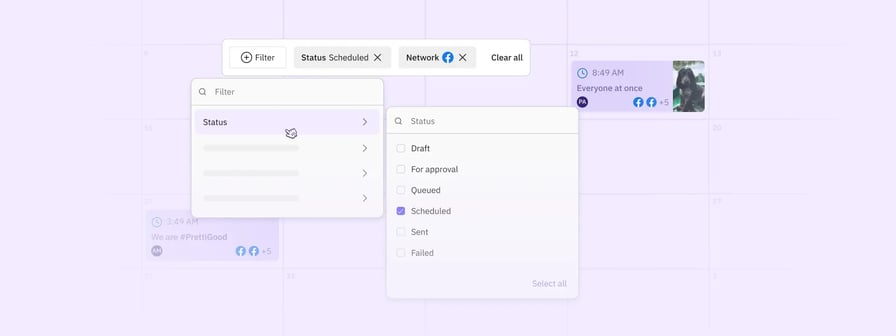
Managing your content shouldn’t mean constantly toggling between drafts, scheduled posts, and queues. We’ve redesigned the calendar into one cohesive space where everything lives together.

You can now use filters to quickly drill down by status, network, campaign, or user. If plans change, simply drag and drop a post to reschedule it, or click any entry to hop straight into the composer.

Choose the layout that best supports your workflow:

  • Monthly grid view: Get a high-level look at the month with a handy daily snapshot sidebar.
  • Weekly view: Perfect for focusing on your specific content layout and flow.
  • Daily view: A streamlined, chronological list of your posts.

This update is currently in beta and available for all customers to enable today.


Mixed Media

Mixed media

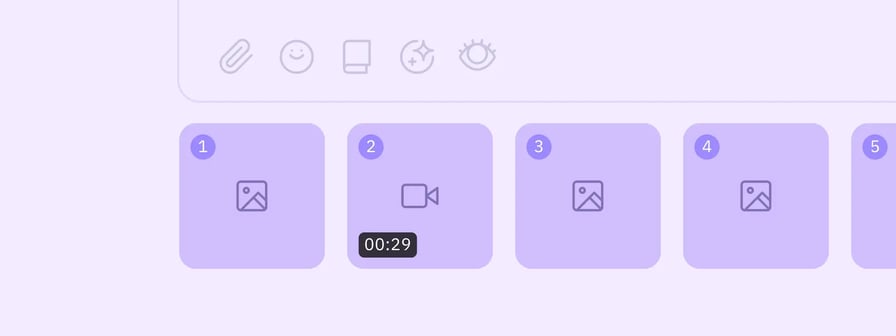
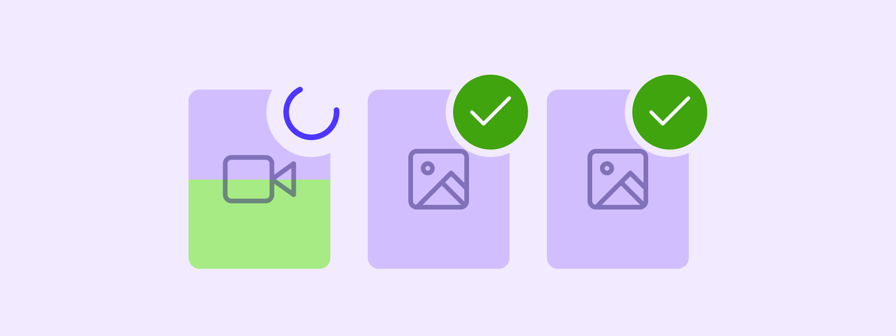
Prepare your multi-media updates and carousels without the friction of legacy attachment limits. We’ve overhauled our backend architecture and refactored our network senders to bring the Composer in line with the native capabilities of every supported social platform. This means you can now upload richer media formats and increase your attachment counts directly within your workflow.

By updating our frontend validation to match current network standards, we’ve removed the guesswork and the need for manual workarounds. Whether you’re scheduling high-density carousels or mixing images and video in a single post, the system now handles the technical requirements for each network automatically. This ensures your high-impact campaigns move from draft to published with better reliability and full creative flexibility.

This is being rolled out progressively to all customers as we make further improvements.


Improvements

  • Composer: Now maintains the original file upload order when attaching multiple media items
  • Composer: Increased the maximum media attachment limit from 15 to 40 items across supported social networks
  • Composer: Improved the interaction for recommended actions on attached media to help you optimise posts faster
  • Composer: Updated validation rules for X to better support modern post requirements
  • Composer: Updated validation for Google Business Profile posts to ensure smoother publishing
  • Composer: Enhanced media validation for TikTok to allow for image uploads
  • Composer: Updated the Instagram photo tagging tooltip to provide more accurate guidance
  • Editor: Added TikTok-specific crop presets to the Image Editor to help you perfectly size your content
  • Media System: Now provides clearer error messaging when certain Google Drive media files are not accessible in the bulk uploader
  • Media System: Introduced several enhancements including GIF labels in modals, improved media selection counters, and better X validation
  • Media System: Optimised large file uploads and improved the post type selector and upload cancellation process
  • Media System: Clarified the search input copy for YouTube to make finding videos more intuitive

Fixes

  • Account: Restored the visibility of the Billing Frequency Discount percentage on the Subscription page
  • Account: Resolved an issue where the Compose button was unresponsive on the Preferences page
  • Bulk Uploader: Fixed an issue where publicly accessible Google Drive image links were failing during the bulk upload process
  • Bulk Uploader: Corrected a bug where media with special characters in the filename appeared broken in the Recently Used view
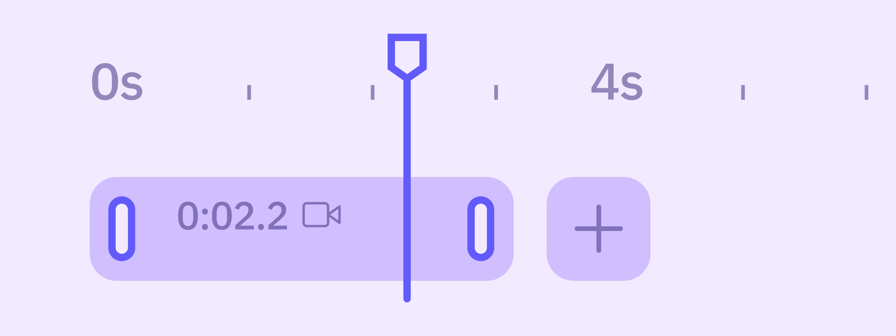
  • Composer: Prevented the thumbnail selector from producing invalid offsets for videos
  • Composer: Improved LinkedIn mention validation and email detection for more reliable tagging
  • Composer: Updated undelivered messages when access to external media URLs for LinkedIn is denied
  • Composer: Addressed an issue that prevented scheduling LinkedIn posts when an email address was included in the text
  • Composer: Fixed a bug where removing link previews would break the markdown formatting
  • Composer: Now disables Send buttons for a longer duration during media uploads to prevent unsuccessful posting
  • Composer: Updated Instagram aspect ratio validations to correctly allow all valid image sizes
  • Composer: Adjusted Bluesky validation to correctly display when one video is attached
  • Composer: Fixed an issue where adding Instagram tags to an image did not trigger the edited indicator on smart tabs
  • Composer: Restored the Instagram first comment option when posting to Profile Lists
  • Composer: Added proper validation when attempting to add more than 10 tags to a post
  • Composer: Updated the post preview to accurately display mixed media and multiple videos
  • Composer: Fixed a data type mismatch in media thumbnail offsets that caused Instagram videos to bounce
  • Composer: Added character count validation for YouTube titles within the Settings view
  • Composer: Fixed a bug where comments were automatically turned off for TikTok videos when scheduling alongside Facebook
  • Content Library: Fixed an issue where videos saved via the old media system appeared static in the new media system
  • Content Library: Restored the ability to delete Content Libraries
  • Editor: Resolved an issue where using the Square option resulted in blurry images
  • Media System: Fixed an issue causing blurry thumbnails for Facebook Reels on mobile devices
  • Profiles: Resolved an issue where the profile sharing modal was incorrectly displaying HTML code
  • Publish: Addressed an error where Facebook and Instagram Stories were failing with incorrect error messages
  • Publish: Corrected an error message that incorrectly reported the number of images attached
  • Publish: Improved the handling of Google post statuses for better tracking
  • Publish: Addressed a delivery issue where Instagram Reminder emails were being blocked by Gmail spam filters
  • RSS Auto Poster: Fixed an issue where the RSS autoposter failed to publish to Instagram when other profiles were present
  • RSS Auto Poster: Added validation to prevent adding more than one X profile to an RSS Auto Poster

Upcoming

  • Workspaces: Manage clients and locations within dedicated workspaces, replacing individual user logins with a simplified model for team collaboration.
Jan 7, 2026

Enhanced Media Management

changelog-enhanced-media-system-1

We've rebuilt our media infrastructure from the ground up to deliver a more reliable, robust publishing experience. This foundational improvement means fewer failed posts, faster uploads, and better handling of your media, especially videos.

  • You can now bulk upload multiple files at once with confidence, knowing each file is validated properly before it enters your workflow.
  • We've introduced improved media validations that catch issues early, preventing failed posts down the line.
  • Drag and rearrange your media assets in any order you like across all networks, and use the new preview mode to review everything before publishing.
  • Attach multiple assets with multi-selection across all your cloud sources like Google Drive, Dropbox, and Canva, plus local file uploads.

This new media infrastructure does more than improve reliability. It opens the door to major improvements that weren't possible before. The Video Editor and Zapier integration launching today are the first examples, with more enhancements to follow shortly as we continue building on this foundation.

This is now available in beta and rolling out progressively to all customers over the coming weeks.


Video Editor

changelog-video-editor-1

Make those final adjustments before you publish. Our new video editor handles the last-mile edits you need when preparing content for different social networks. Quick crops to fit platform requirements, trimming to hit ideal video lengths, and applying filters or speed adjustments to polish your content.

We've included crop presets tailored to each network you're posting to, so you can instantly format your video to the right dimensions without guesswork. Whether you're adapting a single video for multiple networks or making quick refinements before scheduling, everything happens right in the Composer where you're already working.

This is now available in beta and rolling out progressively to all customers over the coming weeks.


Zapier Integration

changelog-zapier-2

Stop manually copying content from your planning tools into Sendible. Our new Zapier integration eliminates the time-consuming transfer work between where you plan and where you publish. Set up automations so that when your team marks content as ready in tools like Airtable, Notion, Monday.com, or ClickUp, it can flow directly into Sendible with all the text, media, and scheduling details.

Create scheduled posts, add content to your queue, save drafts, or delete messages, all without leaving your planning workflow. No more copy-pasting captions, downloading and re-uploading images, or recreating posts manually. Connect Sendible with 7,000+ apps and reclaim the hours your team currently spends bridging the gap between planning and publishing.

This is now available in beta and rolling out progressively to all customers over the coming weeks.


Improvements

  • Reports: Added Instagram Insights permissions and new post metrics in the Posts Module
  • Reports: Added period dates to LinkedIn comparative reporting modules
  • Reports: Added video and PDF thumbnails to the LinkedIn Top Performing Posts module

Fixes

  • Content: Removed support for mentions in My Content
  • Profiles: Fixed Client Connect emails not being sent to clients
  • Profiles: Fixed reconnected TikTok profiles receiving daily reconnection notifications
  • Queues: Added a toast notification after deleting a queue and automatically reload the view
  • Reports: Fixed automated custom reports skipping the monthly send when the send date is following day
  • Reports: Fixed Custom Reports not being emailed due to issues on specific modules
  • Reports: Fixed the Followers section displaying 0 in Facebook Page Custom Reports
  • Reports: Fixed dates discrepancies in TikTok reporting
  • White Label: Fixed an issue accessing Google Drive via the White Label iframe

Upcoming

  • New Calendar: Create, schedule and review all your social content in one central place — whether it's a draft, published, or anywhere in between. Get early access.
Nov 21, 2025

LinkedIn Reporting Improvements

image-Nov-20-2025-11-13-03-7131-AM

We've made significant enhancements to LinkedIn reporting to give you more accurate and useful insights. Previously, follower data in Engagement reports would incorrectly show all growth attributed to a single day. Now, follower data aggregates correctly across your selected date range, giving you a clear picture of how your LinkedIn audience has grown over time. 

We've also improved how your content appears in Reports. Top Posts now display your actual post caption instead of pulling in website descriptions from shared links. You'll also see visual thumbnails for videos and PDFs alongside your images, making it easier to identify content at a glance. All LinkedIn posts in your reports are now clickable, taking you directly to the original content on LinkedIn so you can dive deeper into engagement and comments. 


Improvements

  • Composer: Consolidated duplicate content requirement validation into one message when text and media are missing
  • Composer: Now prevents saving video thumbnail edits when the title exceeds character limits for selected networks
  • Profiles: Updated Instagram Reminder modals to reflect email delivery instead of push notifications
  • Profiles: Checkboxes in the Client Connect modal are now properly aligned
  • Reports: Now Facebook reports display Followers metrics instead of the outdated Fans metric
  • Reports: Now Instagram comparative reporting modules display clear previous period date range labels
  • Reports: Table columns in Facebook Top Performing Posts accommodate large numbers without line breaks
  • Reports: Removed outdated PDF report guides and "Report Guide" buttons from network quick reports
  • Reports: Now Instagram Posts Module includes pagination, clickable links to original posts, post captions, creation dates, and clear differentiation between posts and reels

Fixes

  • Activity: Corrected Facebook reply button behaviour to only disable for Direct Messages older than 24 hours
  • Approvals: Fixed an issue preventing approval of tasks with imported images containing spaces in filenames
  • Bulk Import: Addressed URL errors when filenames included spaces in the Bulk Importer
  • Composer: Fixed an error message incorrectly blocking posts when profiles were selected before attaching media
  • Composer: Now link preview images no longer incorrectly carry across to profile tabs when edits are made
  • Composer: Now removing link previews correctly preserves markdown formatting and spacing before hashtags
  • Composer: Resolved an issue where posts could not be created when content existed only in custom tabs
  • Composer: Resolved infinite loading when attaching PDF files
  • Composer: Resolved font display issues in the Composer that affected text colour and style
  • Composer: Removed misleading tag warning for Facebook Reels that already support page tagging
  • Content: Resolved an issue where the Content & Placeholders button in the Content Editor was unresponsive
  • Editor: Resolved an issue where the image editor would freeze the page and remove uploaded images
  • Publish: Resolved an issue where Facebook video posts without captions failed to publish
  • Publish: Corrected an issue where Instagram image tags were not removed when Alt Text was added
  • Publish: Now link preview images render correctly in all Publish views
  • Publish: Now shared queues are highlighted when selected in the Queues view
  • Publish: Resolved an issue where images detached when you drag-to-reschedule on Calendar
  • Publish: Resolved an issue where link preview images duplicated when posts changed status
  • Publish: Resolved an issue where future queued posts did not display on Calendar
  • Publish: Resolved an issue where custom fields displayed as placeholders instead of actual values
  • Publish: Restored Wordpress publishing functionality for images missing content-type headers
  • Publish: Fixed account tagging on images so tags now display correctly when posts are published natively
  • Profiles: Resolved an issue preventing Instagram profiles from being added via Client Connect
  • Reports: Now Custom Reports using Highcharts library modules are emailed successfully
  • RSS Feeds: Corrected post ordering for RSS Auto-posters set to "Newest First" when processing multiple entries

Upcoming

  • New Calendar: Create, schedule and review all your social content in one central place — whether it's a draft, published, or anywhere in between. Get early access.
Sep 18, 2025

Facebook Reels module

image (6)

We've introduced a Facebook Reels module to provide comprehensive insights into your Reel performance. This new module gives you detailed metrics specifically for Facebook Reels including views, watch time, engagement and reactions.

The module is available as part of your Facebook Quick Reports and can also be included in custom reports through the Report Builder, helping you better understand and optimise your short-form video content strategy.


Facebook Followers metric

image (5)

We've introduced Followers as the primary audience metric across all Facebook reporting modules, as a replacement to Fans metric. This metric provides clearer insights into your actual audience growth and engagement.

The change affects both the Activity Overview and Audience Growth modules, giving you consistent follower data across all your Facebook reports and better visibility into your page's performance.


Improvements

  • Composer: Now includes post preview functionality when using the Share Button
  • Composer: Bulk Importer now supports larger file uploads via local upload
  • Reports: Now display more accurate Facebook metrics that align more closely with Meta's native insights
  • Reports: Exclude direct message replies from Top Performing Posts module
  • Reports: Improved clarity of Facebook module tooltips
  • Reports: Extended Facebook and Instagram post image retention period for improved historical reporting and analysis
  • Activity: Profile overviews for Facebook and LinkedIn now open directly on the network sites

Fixes

  • Composer: Resolved empty image display issue for failing URLs in publishing views
  • Composer: Corrected 'delete' button availability when editing messages with validation errors
  • Composer: Addressed link preview removal breaking markdown formatting
  • Composer: Resolved Threads post preview incorrectly linkifying all text when hashtags are present
  • Composer: Fix alt text not being saved when posts are sent for approval
  • Composer: Resolved posts not being sent from queues when deleted users have queued posts
  • Composer: Corrected Post Previewer to display character limit ellipsis outside content, not within
  • Composer: Resolved Bulk Import URL errors when filenames contain spaces
  • Composer: Fixed infinite loading issue when attaching PDF files
  • Composer: Restored AI Assist functionality in Share Button widget
  • Composer: Fixed RSS Auto-poster reversing post order when set to "newest first"
  • Reports: Resolved TikTok performance module displaying incorrect mock data instead of actual metrics
  • Reports: Corrected TikTok reporting date-range calculation that prevented proper data display
  • Reports: Addressed period overlap issues in Facebook modules and corrected graphics date alignment
  • Reports: Resolved Live Report links showing posts outside of chosen date range
  • Profiles: Addressed TikTok accounts repeatedly disconnecting due to outdated authentication endpoints
  • Profiles: Fixed Instagram account reconnection status inconsistency between My Profiles list and Social Feeds view
  • Account: Fixed custom menu issues that could break white-label dashboards when updating names repeatedly

Upcoming

  • Zapier: Get from plan to published without manual copy-pasting with fully automated workflows. Get early access.
  • New Calendar: Create, schedule and review all your social content in one central place — whether it's a draft, published, or anywhere in between. Get early access.

Aug 12, 2025

Universal media validation

Validation

We've extended our media validation system beyond just creating new posts. Now, whether you're editing scheduled posts or reviewing posts for approval, you'll get the same comprehensive validation that was previously only available when creating new posts.

Get feedback on image sizes, video formats, and file requirements for each network no matter how you're working with your content. This catches potential publishing issues before they happen across all your workflows.

This means higher publishing success rates and fewer failed posts.


Client Connect platform expansion

CC

We've expanded Client Connect to support Threads, TikTok, and Bluesky, making it easier for your team to connect profiles across all major social platforms. Each platform includes full email attribution tracking, proactive reconnection emails and works across both private and white-label accounts.


Improvements

  • Composer: Now supports network tabs for WordPress and YouTube for post customisation
  • Share Widget: Now supports video uploads
  • Link Previews: Now allows scheduling for cases when link previews fail to generate
  • RSS Feeds: Improved visibility of actions for smaller browser windows
  • Twitter: Rebranded the network to X
  • Google My Business: Rebranded the network to Google Business
  • Client Connect: Added "Instagram" prefix to connection confirmation email subjects

Fixes

  • Priority Inbox: Fixed an issue where reply tooltips disappeared after clicking
  • Publishing: Fixed an issue where uppercase file extension images didn't display
  • Client Connect: Fixed an issue where Instagram profiles couldn't be added
  • Publishing: Fixed an issue where Facebook Reels showed false error messages
  • Chrome Extension: Now automatically closes after post creation.
  • Composer: Fixed an issue where attach button stayed disabled when no profiles were selected
  • Client Connect: Fixed an issue where Instagram connections didn't show "Connected" feedback
  • Chrome Extension: Fixed an issue where Bluesky icon didn't display in smart tabs
  • Tasks: Fixed an issue where approval emails incorrectly showed "Action already taken" message
  • Post Previews: Fixed an issue where long text wasn't fully displayed in previews
  • Priority Inbox: Fixed an issue where Facebook Direct Messages reply buttons disabled after 24 hours per API restrictions
  • Priority Inbox: Fixed an issue where Facebook post reply button was incorrectly disabled
  • Composer: Fixed an issue where mention field was missing the Instagram logo
  • Composer: Fixed an issue where save dropdown menu was not responsive to the window size
  • Post Previews: Fixed an issue where Threads captions are linkified when a hashtag is present
  • Approvals: Fixed an issue where scheduled post times changed incorrectly when sent for approval between different timezones
  • Composer: Fixed a disparity where Bluesky character counter was different between post preview and composer
  • Profiles: Fixed an issue where scroll overlapped checkboxes in profile sharing

Upcoming

  • Zapier: Get from plan to published without manual copy-pasting with fully automated workflows. Get early access.